SmartGenius Ai

Change age in photo online with AI
See how you would look younger or older. The neural network carefully adapts facial features while preserving a natural look.
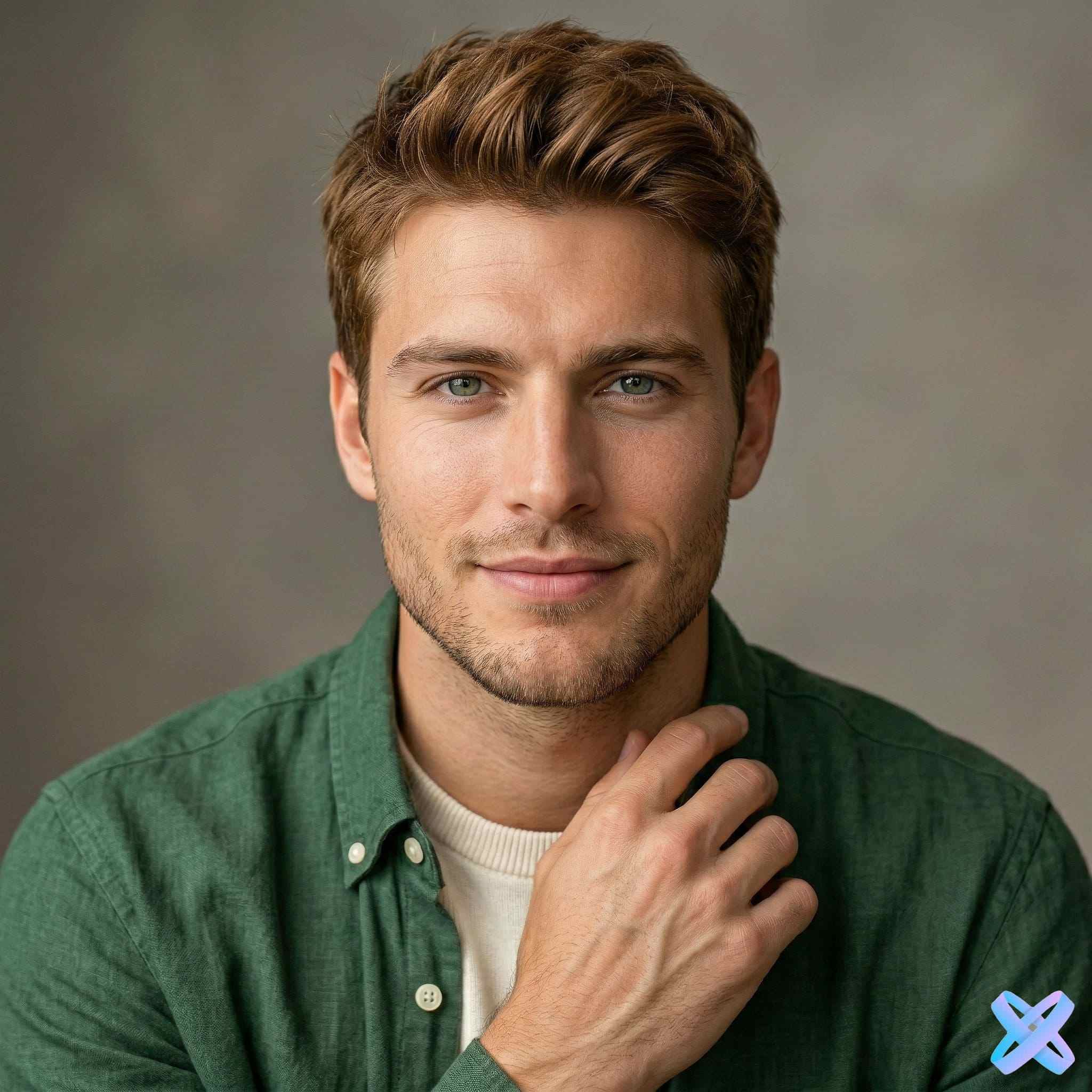
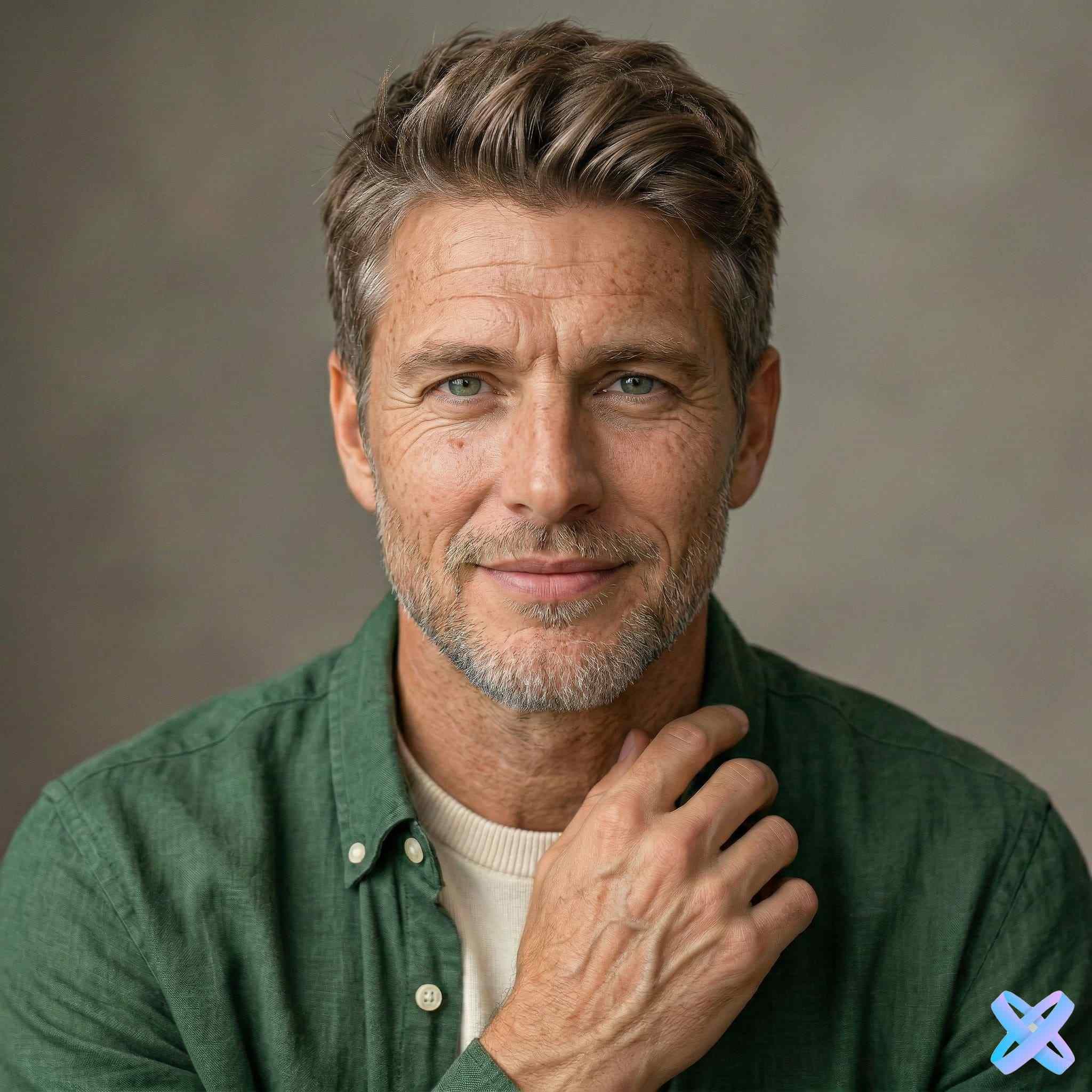
Slide to see the result: 25 → 65 years old
Age change examples
Real examples of the neural network in action: from 20 to 60+ years
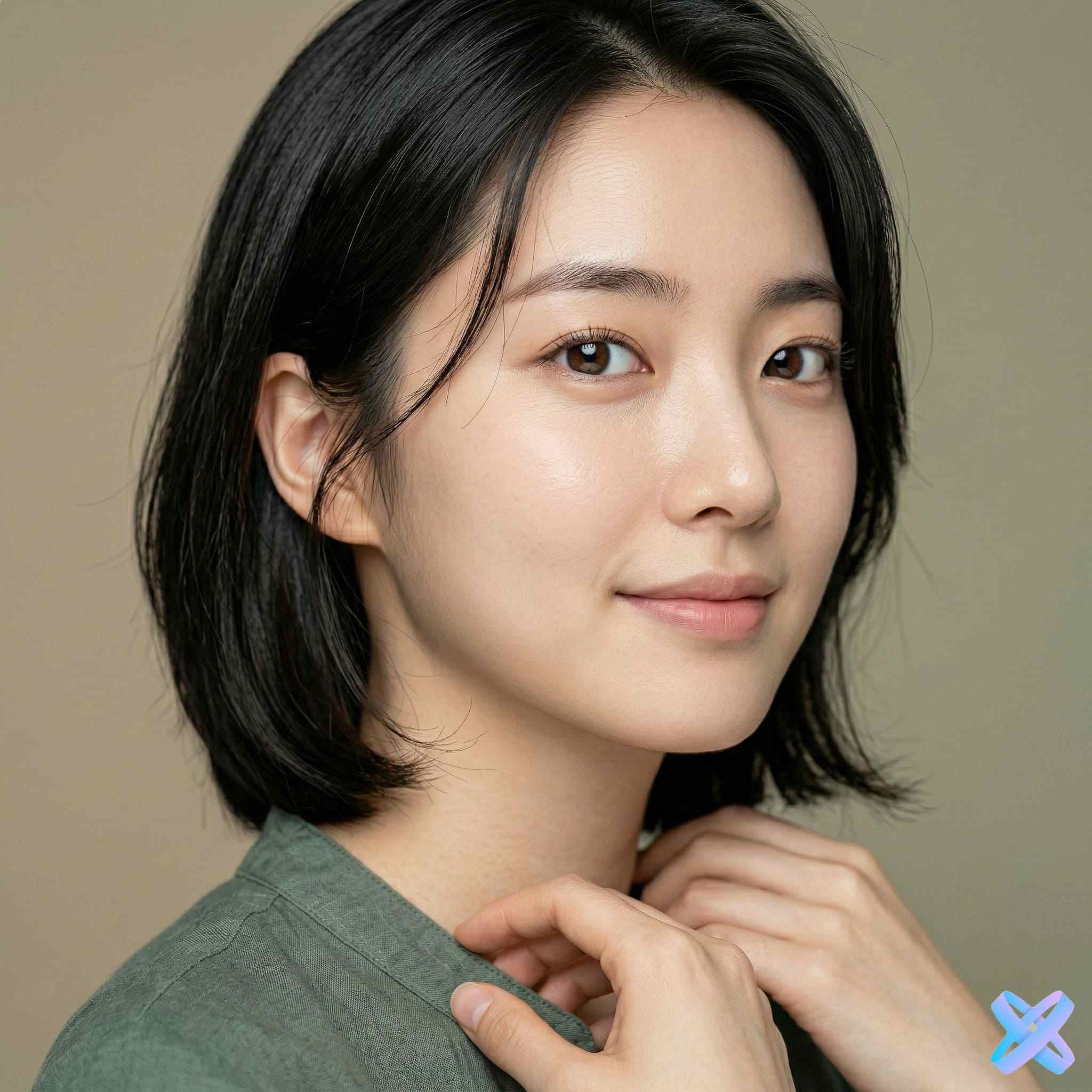
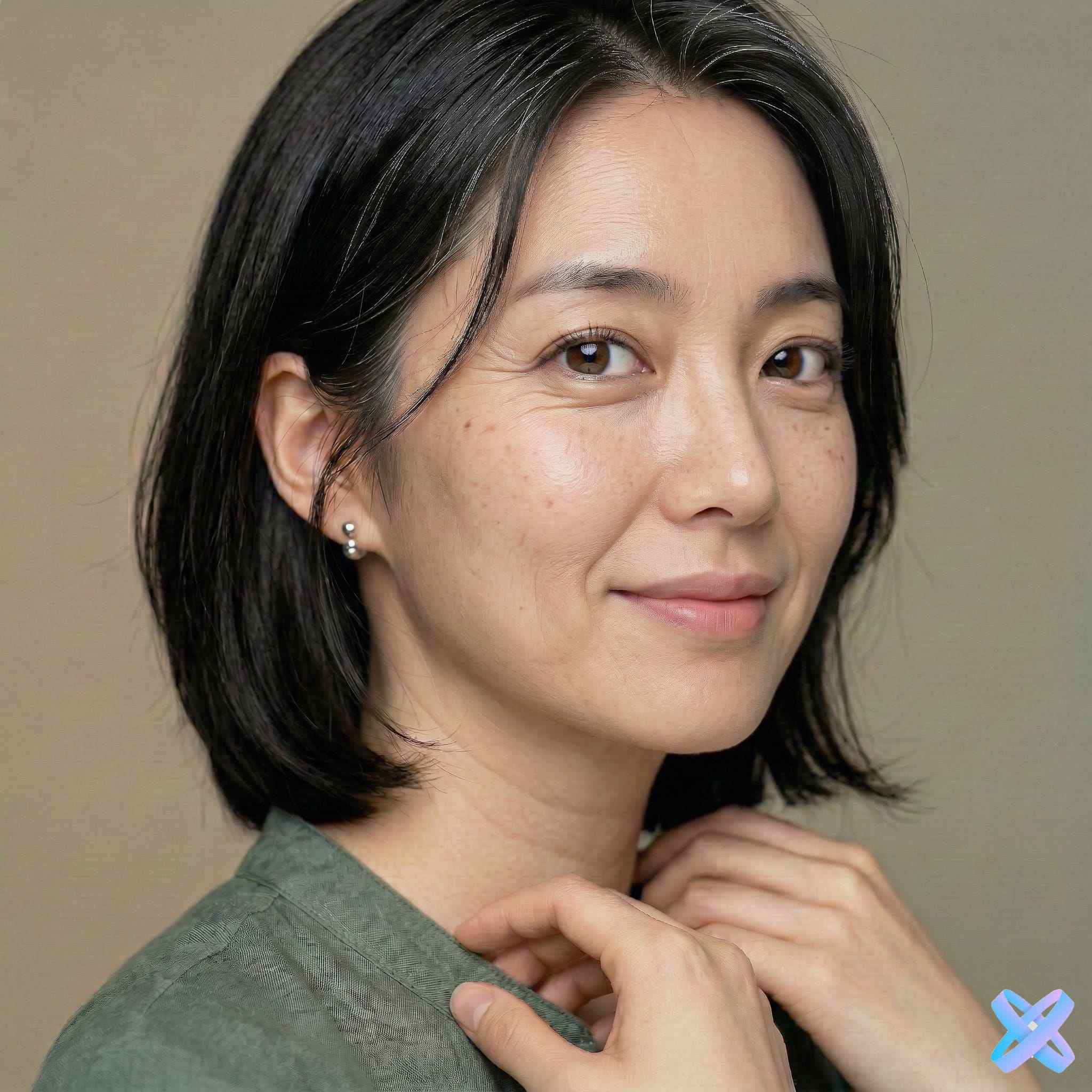
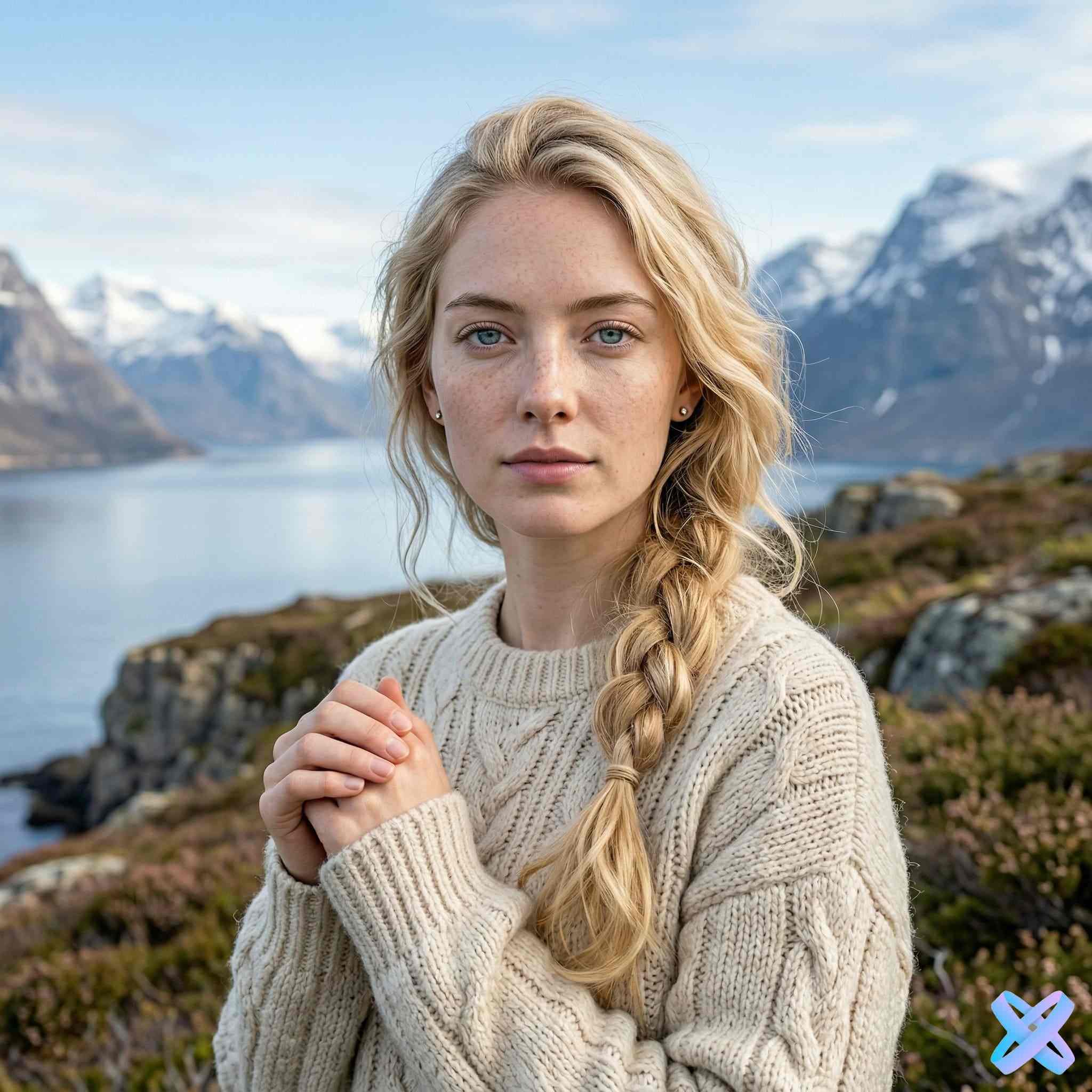
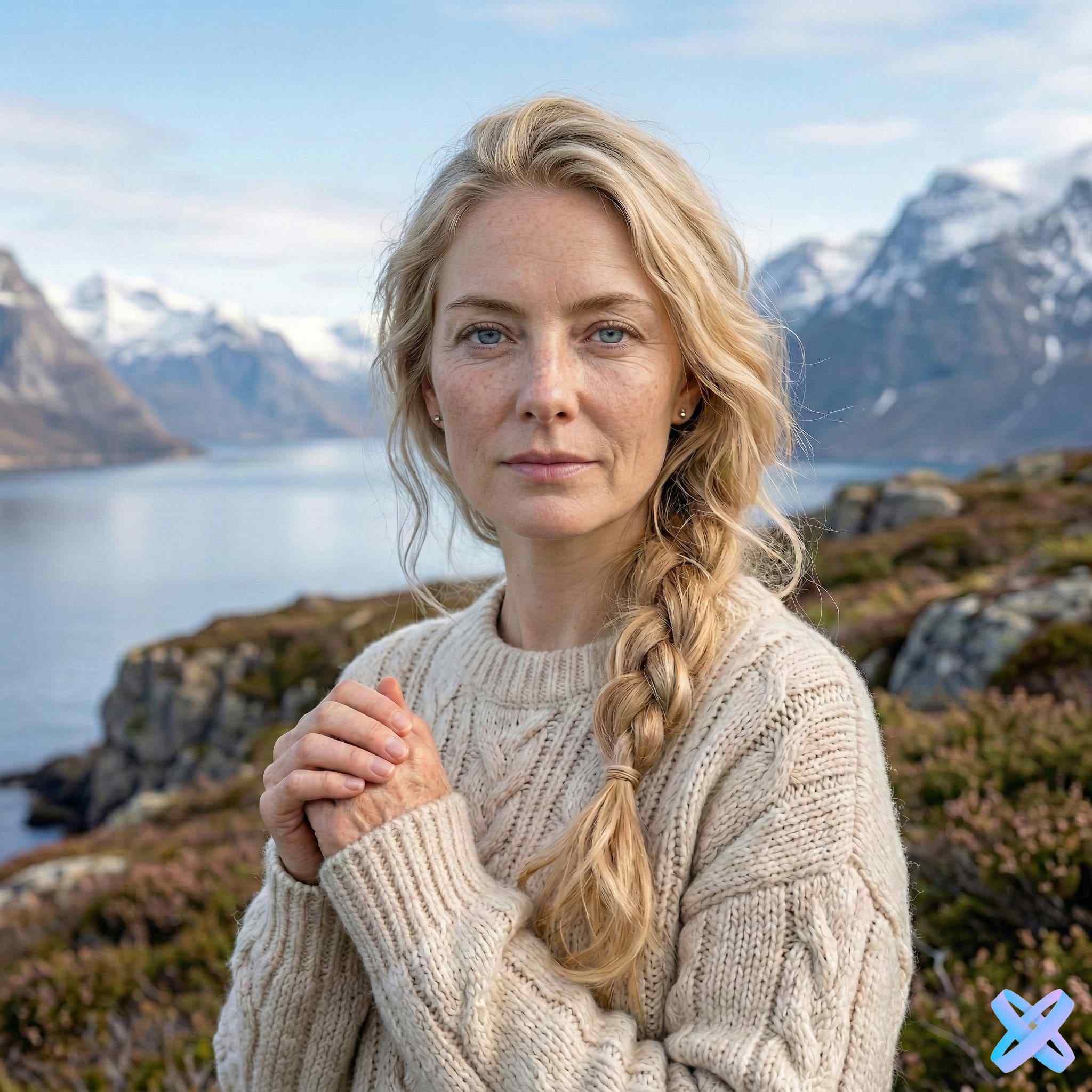
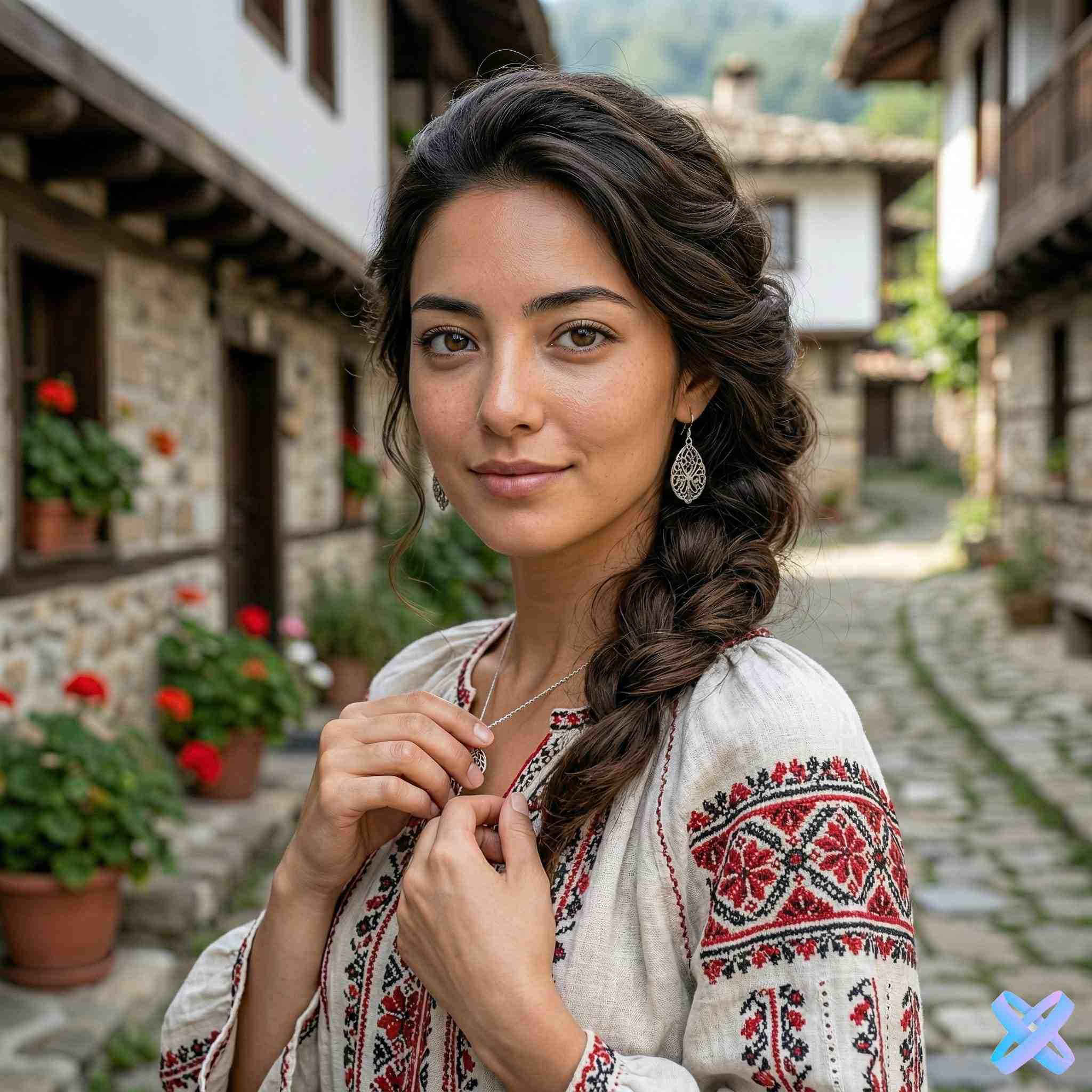
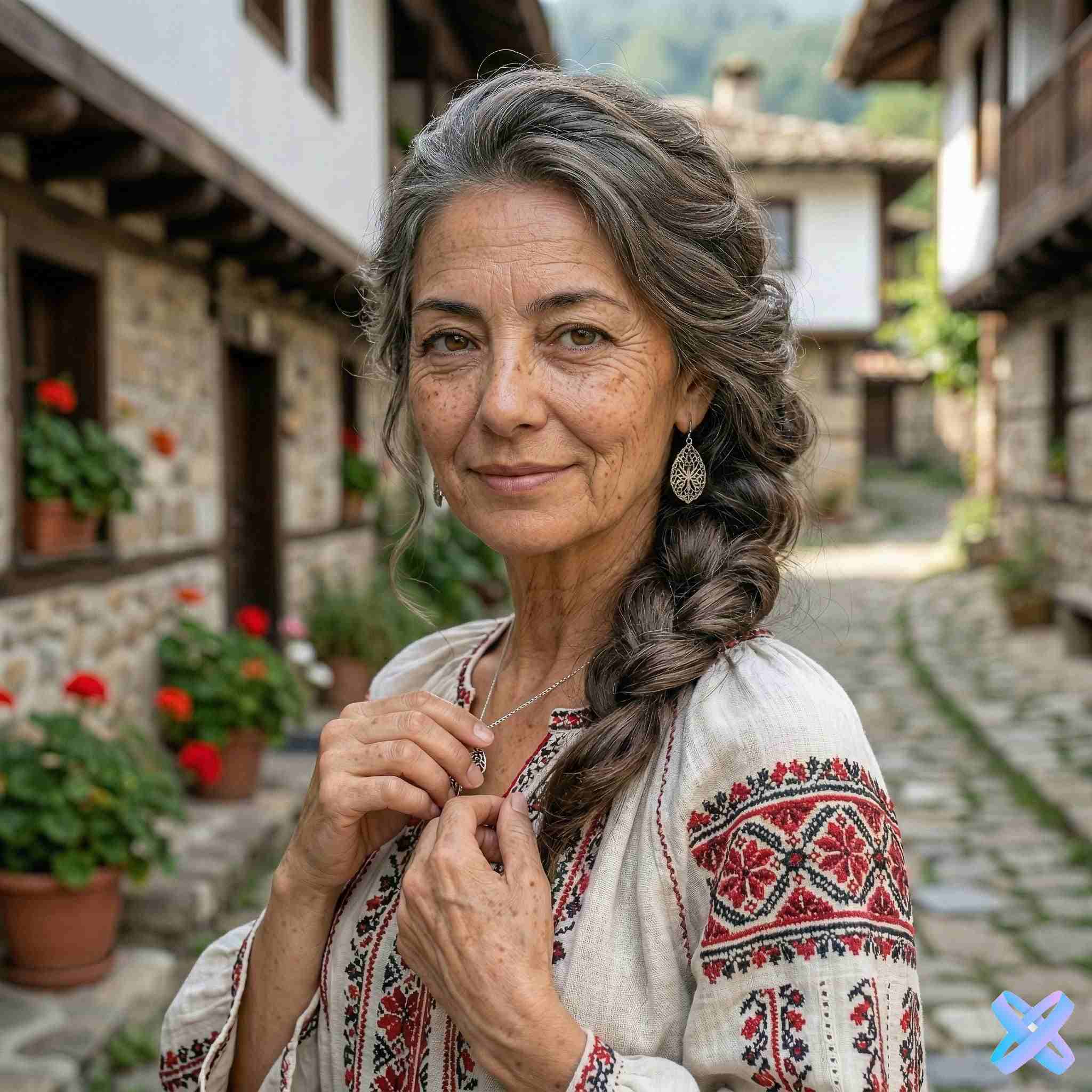
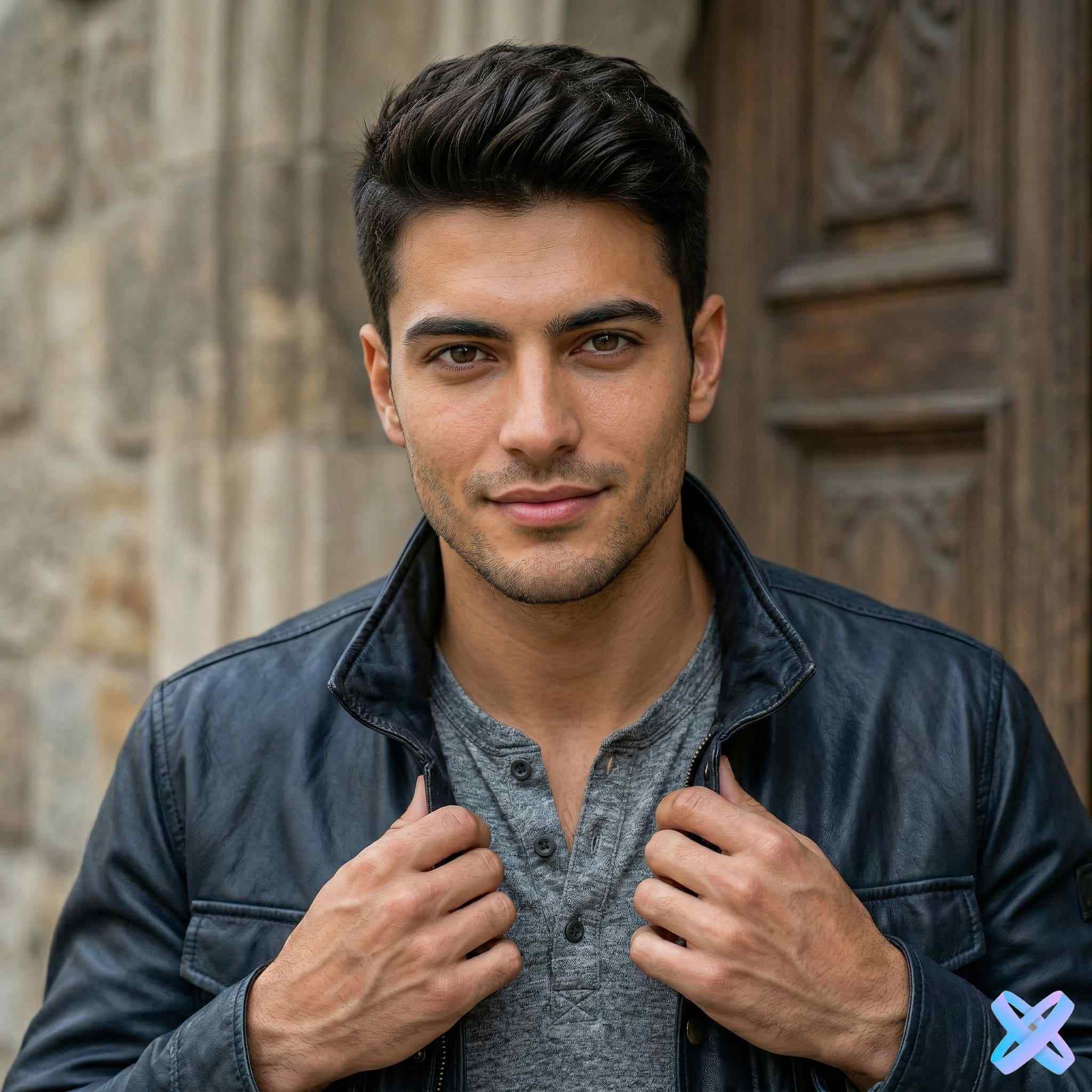
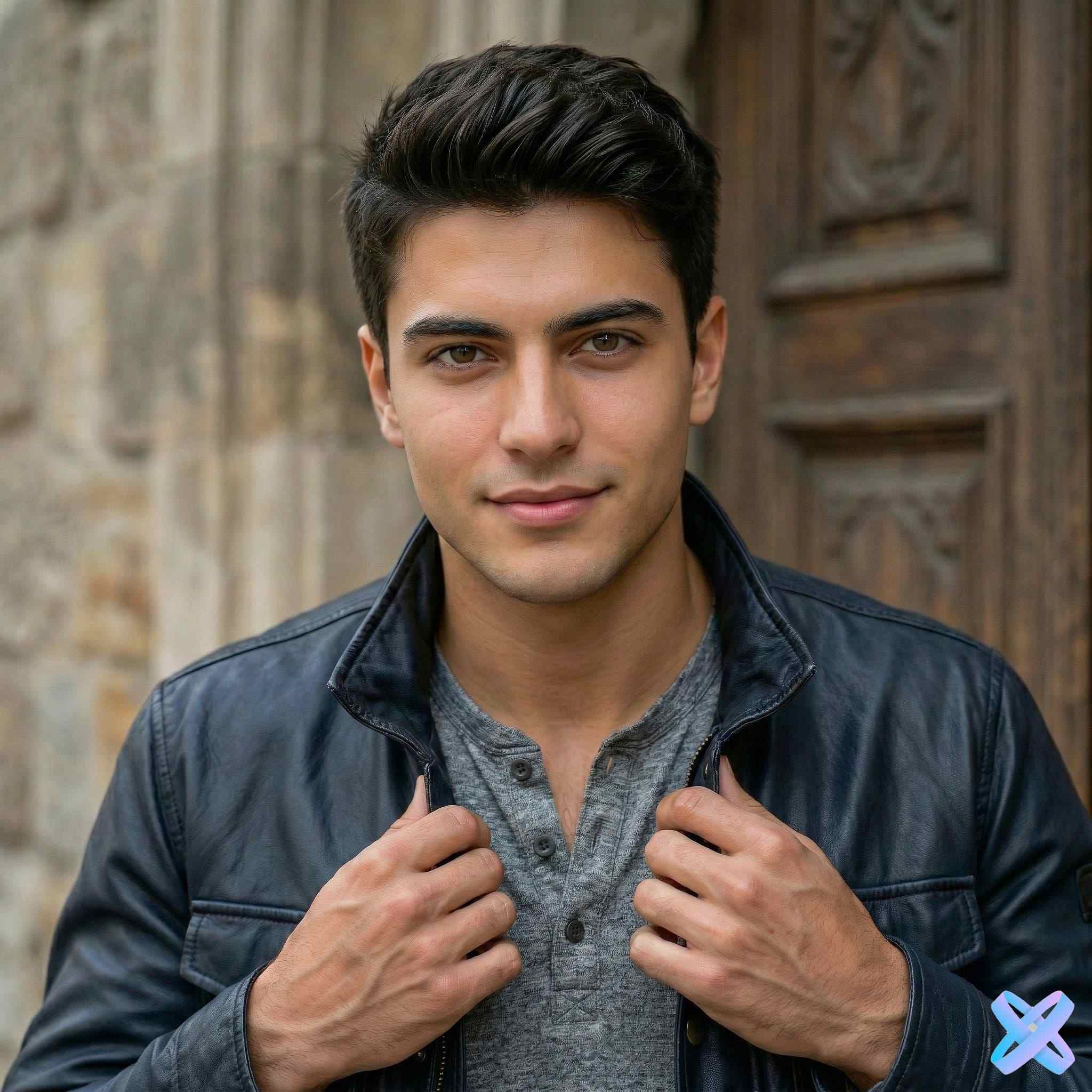
AI age change — make yourself younger or older in seconds
AI age changer is an innovative tool that lets you experiment with your appearance in the digital space. Our neural network helps you change age in photos while preserving your unique facial features, making the result as natural and realistic as possible.
The technology is based on advanced machine learning algorithms that have analyzed millions of photos of people of different ages. Thanks to this, you can age a photo online or, conversely, bring back youthful features while maintaining your individuality and expressions. The neural network carefully adds age-related changes: wrinkles, changes in face shape, gray hair — or removes them for a rejuvenation effect.
Unlike simple filters that just overlay masks, our age filter actually analyzes the facial structure and applies changes characteristic of real aging or rejuvenation processes. This makes the tool ideal not only for entertainment but also for content creation: covers, memes, creative projects, casting, or simply for family archives.
Want to rejuvenate a photo with neural network for fun or imagine how you'll look in 30 years? Our AI age changer handles this task in seconds. Just upload a photo, select the desired age range — and get the finished result. No complicated settings or professional skills required.
We guarantee confidentiality: all uploaded images are automatically deleted after processing. Experiment with age safely — make me older online or make me younger online is now available to everyone. Create unique content for social media, surprise friends, or just see yourself in the future and past.
Tool capabilities
- ✨ change age in photo from 0 to 80+ years
- 🔄 age a photo online with natural wrinkles
- 🌟 rejuvenate a photo with neural network while preserving features
- 🎭 age filter for photos and videos
For English speakers
- 🤖 AI age changer – try different ages
- 👴 make me older online with realistic aging
- 👶 make me younger online instantly
- 🎛️ age filter AI for creative content
What age change options can you choose
Make younger
Softening of features, smoother skin. The neural network carefully removes signs of age while preserving individual facial characteristics.
Make older
Natural age-related changes: wrinkles, changes in skin tone, gray hair. The result looks realistic.
Moderate adjustment
Slight changes without a dramatic effect. Ideal for those who want minimal edits while maintaining their current look.
All options are available in one tool — just choose the desired effect when uploading your photo.
Open editorHow to change age in 3 steps
Upload a photo
Choose a high-quality photo with a clear face image. Supported formats: JPG, PNG up to 20 MB.
Select the age change direction
Specify the desired age or choose one of the options: younger, older, moderate adjustment.
Download the result
Get the finished photo in high resolution. No watermarks, full rights to use.
First photo free, no registration required
Why AI preserves your individuality
The neural network analyzes unique features and applies changes precisely, maintaining recognizability
Facial structure analysis
The neural network identifies key facial points, skull shape, and proportions, and based on this data applies age-related changes without distorting individual geometry.
Preserving facial expressions
The algorithm recognizes emotions and facial expressions, preserving them during transformation. Smile, squint, eyebrow position remain natural.
Lighting adaptation
Shadows, highlights, and light-dark transitions are processed taking into account the original lighting in the photo, so that age changes look organic in any shooting conditions.
Natural skin texture
Pores, wrinkles, moles and other skin details are not smoothed into "plastic" but are adapted to the selected age while maintaining realism.
Works on phone
All computations happen in the cloud, so even on mobile devices you get the same result as on a powerful PC. Just a browser and internet access are enough.
The neural network is trained on thousands of "young-old age" pairs of the same people, allowing it to accurately predict natural changes
AI age vs regular filters
Our neural network works differently — precise changes instead of mask overlays
More AI Solutions
Change clothes virtually, enhance photo quality, apply 80+ artistic styles, or perform manual color correction — all in one place. Professional results without complex software.
AI Clothing Changer
Try any style from business suit to cyberpunk. AI adapts fabric, fit, and lighting.
AI Photo Enhancement Studio
Professional lighting, color grading, detail enhancement. AI agent picks perfect settings.
80+ AI Photo Styles
Turn photos into anime, cinema, oil painting, or 3D render. Adapts to each image.
Manual Photo Correction
30+ tools: exposure, curves, HSL, sharpness. Instant preview in browser.
Frequently asked questions
Answers to the most popular questions about how the AI age editor works
Yes, the first age change is completely free with no registration required. You can upload a photo, apply the effect and download the result. For further use, flexible pricing plans are available: 5 changes, 20 changes or unlimited monthly access.
Yes, you can select a specific age from 0 to 100 years in 1-year increments. Also available modes: "younger", "older", "moderate adjustment" for quick results. Flexible settings allow you to experiment with different age stages.
Yes, the service is fully optimized for mobile devices. All computations happen in the cloud, so your smartphone is not overloaded. All you need is a browser (Chrome, Safari, Firefox) and an internet connection. The interface is optimized for touch control.
The neural network is specifically trained to preserve individual features: eye shape, nose, lips, mole placement. Changes only affect age-related signs (wrinkles, skin texture, face shape), but your unique appearance remains recognizable. We do not replace the face, but naturally transform it.
For the best result, it is recommended to upload a photo with a clear face image, front-facing or close to front-facing. Supported formats: JPG and PNG up to 20 MB. Photos with good lighting and without strong shadows give the most natural result.
See how you will look years from now
Upload a photo and choose any age — from childhood to old age. Results in seconds.
No registration • High resolution • No watermarks
SmartGenius Ai is proudly powered by WordPress