
AI CLOTHING GUIDE · SMARTGENIUSAI
How to Try a Dress on a Photo With AI
A dress changes more of the visible silhouette than a simple top, which makes it a useful but demanding AI clothing edit. Length, waist placement, sleeves, neckline, skirt volume, fabric, and leg visibility all need to agree with the original pose and camera angle.
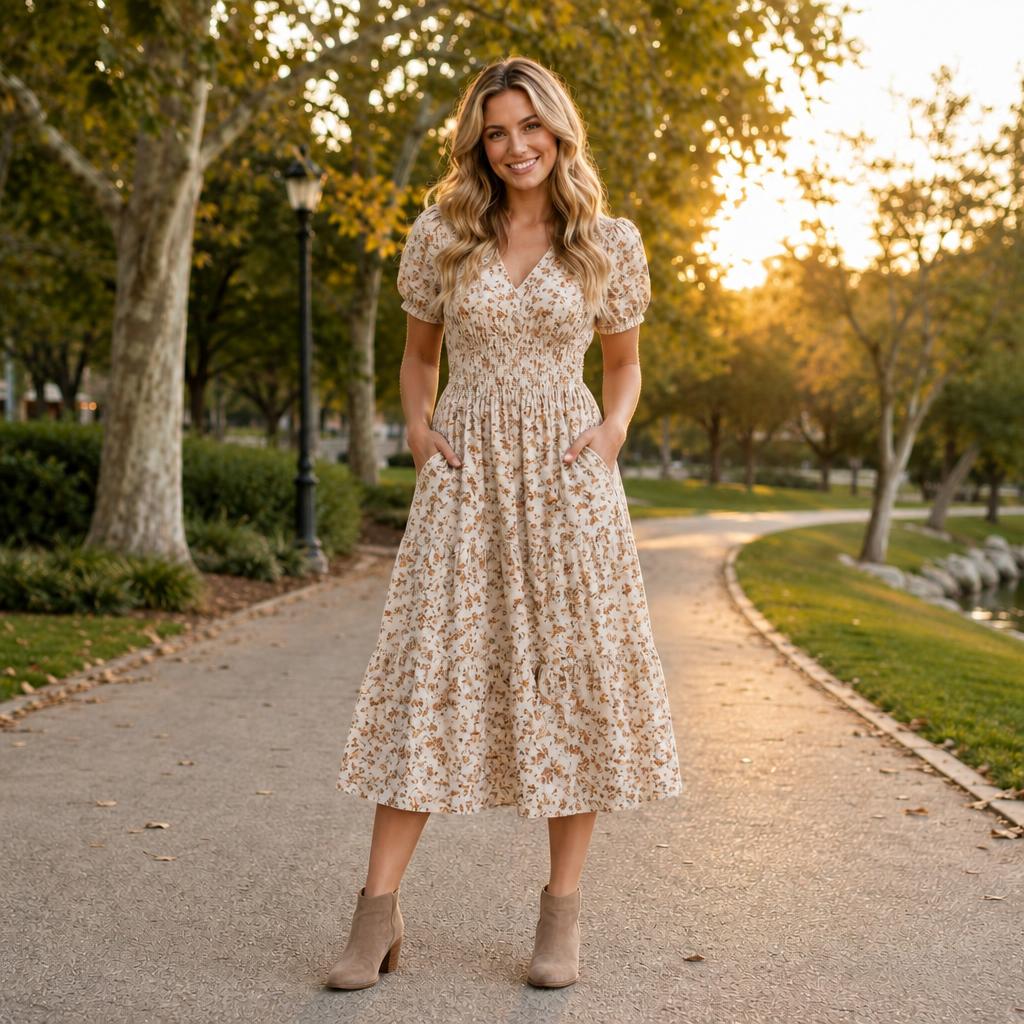
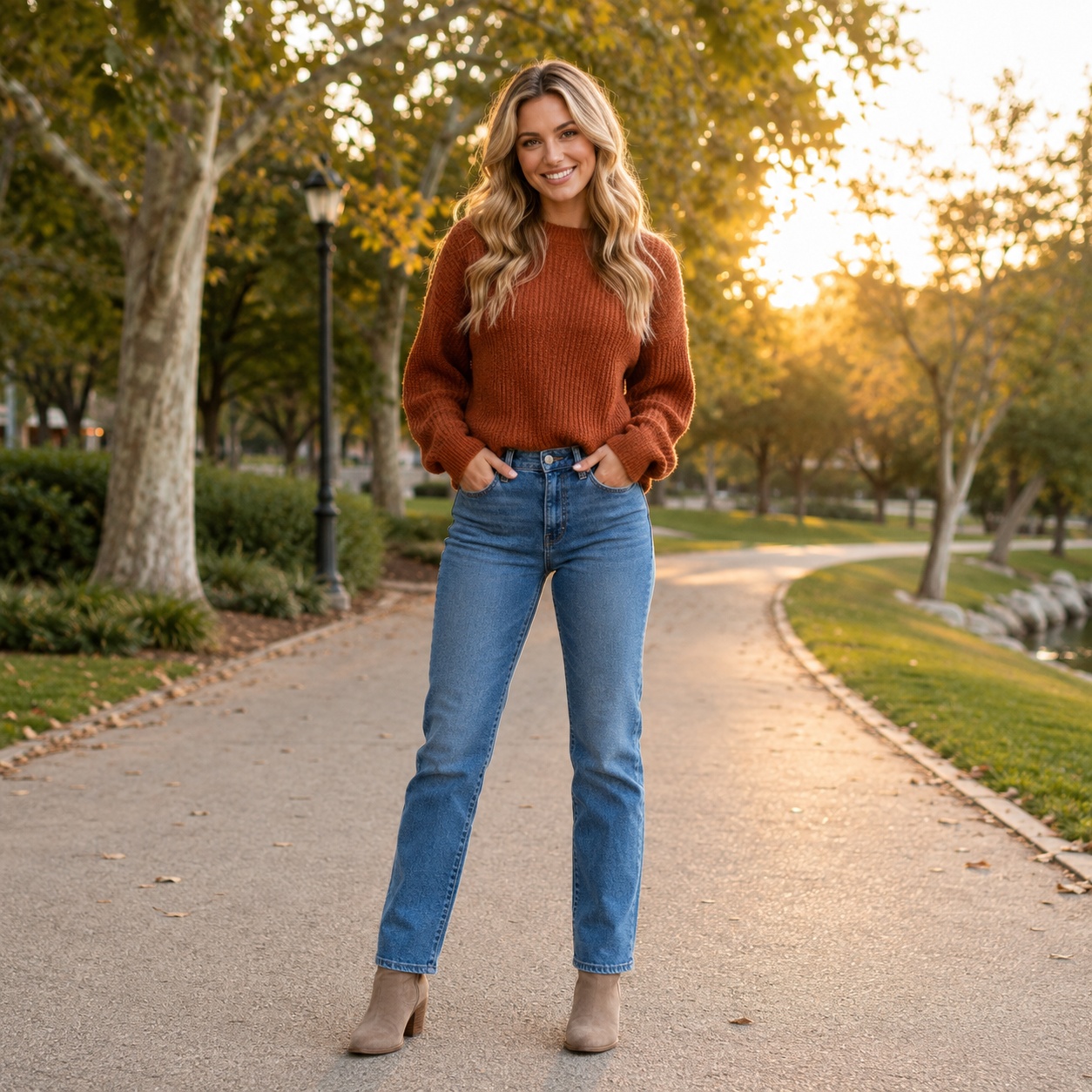
For dress edits, source framing matters. If the photo ends at the waist, you can judge neckline and bodice but not a believable midi or maxi hem that was never visible in the original frame.
Why this clothing edit is useful
For try dress on photo with AI, the value of AI is the ability to compare one styling decision on the same photograph instead of trying to imagine the result from a product photo or text description. Keeping the person and scene stable makes the clothing change easier to judge.
A try dress on photo with AI preview is still a generated visualization rather than a physical fitting room. Real size, tailoring, fabric stretch, construction and comfort cannot be measured from the synthetic image, so use the result to explore appearance and direction rather than to claim exact fit.
Choose framing based on the dress length you want to see
A head-and-shoulders portrait is enough for neckline ideas, but it cannot answer how a maxi dress looks on the full figure. Use knee-up or full-body photos for midi and maxi styles so the model has visible leg position and floor context.
Make sure the body is not cut off exactly where the new hem should appear. The more of the intended garment area the source contains, the less the model has to invent outside the frame.
Neckline and shoulders must fit the original pose
Strapless, halter, square-neck, V-neck, and high-neck dresses interact differently with shoulders, hair, necklaces, and hands. A neckline that ignores those boundaries will immediately make the result feel generated.
Long hair over the shoulders is a particularly important test. The dress should appear behind the hair without erasing strands or creating fabric on top of them.
Waist position controls the perceived silhouette
Empire waist, natural waist, dropped waist, and fitted sheath shapes place structure at different vertical points. The AI result should respect the visible torso rather than moving the waist independently of the body.
If the waistline jumps too high or low, the dress may still look attractive but no longer feels attached to the photographed person.
Fabric volume must obey gravity and stance
A fitted jersey dress follows the body closely, while satin, tulle, and structured fabrics create different folds and volume. Wide skirts also need to respond to leg position and floor contact.
Check whether fabric passes through hands, chairs, handbags, or nearby objects. Dresses cover a large area, so small interaction errors can become visually obvious.
Use the preview to compare style direction, not exact tailoring
AI can help answer broad questions: fitted or flowing, mini or midi, sleeves or sleeveless, simple or embellished. It cannot guarantee the exact fit of a real garment with specific measurements.
For shopping, use the preview as inspiration and then rely on product measurements, size charts, fabric description, and real try-on information.
Seated and moving poses need special attention
A seated dress compresses at the hips and spreads differently across the legs; a walking pose creates asymmetrical folds and hem movement. Those are not defects in the source—they are pose information the generated dress should respect — apply this specifically when evaluating try dress on photo with AI.
If a dress edit forces the fabric into a standing-catalog shape despite a seated or dynamic pose, the mismatch will make the image feel synthetic — apply this specifically when evaluating try dress on photo with AI.
Footwear and hem interact in full-body previews
Long dresses can partially cover shoes, while shorter lengths expose more footwear and leg. The hem should not slice through shoes or float above the floor without a physical reason — apply this specifically when evaluating try dress on photo with AI.
Review the bottom of the image even if the upper dress looks excellent. Full-body realism often fails at ground contact rather than around the face — apply this specifically when evaluating try dress on photo with AI.
A controlled workflow you can repeat
Prepare the source
Use a knee-up or full-body source for longer dresses.
Set one clothing goal
Choose one dress direction and keep pose/background fixed.
Generate and compare
Review neckline, waist, hands, hem, legs and floor interaction.
Refine the strongest result
Compare a second style only after the first result is structurally clean.
For this “How to Try a Dress on a Photo With AI” workflow, open the matching SmartGeniusAI Clothing tool and keep the original image available beside the generated result. That side-by-side reference makes it easier to notice whether clothing changed cleanly without unnecessary identity, pose, or scene drift.
Quality-control checklist
| # | Check | How to review it |
|---|---|---|
| 1 | Frame includes enough body for the intended dress length | Review this point specifically in the context of try dress on photo with AI before approving the draft image. |
| 2 | Hair remains in front of or behind fabric correctly | Review this point specifically in the context of try dress on photo with AI before approving the draft image. |
| 3 | Waistline sits plausibly on the torso | Review this point specifically in the context of try dress on photo with AI before approving the draft image. |
| 4 | Hem follows leg position and perspective | Review this point specifically in the context of try dress on photo with AI before approving the draft image. |
| 5 | Hands and accessories do not merge with fabric | Review this point specifically in the context of try dress on photo with AI before approving the draft image. |
| 6 | Dress material reacts consistently to the scene lighting | Review this point specifically in the context of try dress on photo with AI before approving the draft image. |
A practical comparison exercise
Create three versions specifically for try dress on photo with AI: a conservative option that changes as little as possible, a balanced option that clearly expresses the intended style, and a stronger creative option. Keep the source photo, crop and pose identical across all three. This gives you a useful range instead of three nearly identical generations.
First compare the versions at normal viewing size and decide which one belongs most naturally in the original photograph. Then inspect frame includes enough body for the intended dress length and hair remains in front of or behind fabric correctly. If the strongest creative option introduces structural errors, do not reward it simply because it looks more dramatic; the balanced candidate is often the better result for a realistic photo.
Finally, imagine where the image will be used. A social concept can tolerate more expressive styling than a professional profile, shopping visualization, or practical wardrobe comparison. For try dress on photo with AI, context should decide how much novelty is useful and how much consistency with the source should be protected.
Review the edit at three viewing distances
At thumbnail size, judge overall silhouette and whether the clothing belongs in the scene. At normal viewing size, inspect fit, layers, and color balance. At close zoom, check hands, hair, seams, buttons, patterns, and background edges — apply this specifically when evaluating try dress on photo with AI.
This order prevents you from spending time on tiny details in an image whose overall outfit direction is already wrong — apply this specifically when evaluating try dress on photo with AI.
Know when to regenerate instead of repairing
Regenerate when the failure is structural: missing fingers, impossible garment geometry, severe background warping, or identity drift. Those problems are usually more expensive to repair manually than to solve with a better generation — apply this specifically when evaluating try dress on photo with AI.
Minor texture issues, a tiny seam inconsistency, or small color cleanup may be reasonable to retouch later if the core anatomy and clothing structure are already strong — apply this specifically when evaluating try dress on photo with AI.
How to compare two good candidates
When two versions for try dress on photo with AI both look technically clean, compare the purpose of the image instead of searching endlessly for microscopic differences. Ask which result supports the person, occasion and visual message with less explanation.
For How to Try a Dress on a Photo With AI, coherence should beat novelty. A slightly simpler garment that follows the photographed pose, lighting and environment is usually more convincing than an elaborate option with one distracting structural error.
Common mistakes to avoid
- Changing pose, background, body shape and clothing together while trying to evaluate try dress on photo with AI.
- Using a tiny or heavily compressed source when the article goal is try dress on photo with AI.
- Keeping a try dress on photo with AI result with broken hands, collars or background geometry only because the overall style is attractive.
- Assuming a generated try dress on photo with AI preview predicts real garment size, tailoring or physical comfort.
- Judging only the center of the outfit in a try dress on photo with AI edit and forgetting hair overlap, accessories, hems and scene boundaries.
Try this Clothing workflow on your own photo
Use the matching SmartGeniusAI tool for try dress on photo with AI, keep the source fixed, and compare one controlled clothing change at a time.
Use generated clothing previews responsibly
A generated image created for try dress on photo with AI is useful for styling exploration, creative concepts, profile-photo experiments and visual planning, but it should not be presented as proof that a particular real product will fit in exactly the same way.
When sharing a realistic try dress on photo with AI result, use images you have the right to edit and avoid misleading viewers about a person, product, endorsement, or before-and-after claim. Clear labeling is appropriate when the edited nature of the image would otherwise be easy to misunderstand.
Frequently asked questions
Can I try a long dress on a waist-up photo?
You can preview the upper portion, but the unseen skirt and hem cannot be meaningfully judged outside the frame.
Can AI change a casual outfit into an evening dress?
Yes, that is a natural dress-changing use case if the source gives enough visible body structure.
Will the dress fit like a real product?
No. AI produces a visual concept, not a measurement-based garment fitting.
Why do long dresses sometimes distort legs or floor lines?
The model must reconstruct a large new fabric region near legs and ground contact, which increases complexity.
Can I specify fabric and color?
Yes. Clear material and color descriptions can guide the visual direction, especially when they are not mixed with many unrelated changes.
Final takeaway
How to Try a Dress on a Photo With AI works best as a controlled visual comparison: begin with a clear source, define one clothing goal, keep identity and scene stable, and reject any result where garment geometry, anatomy, material, lighting, or nearby background stop agreeing with one another.
For try dress on photo with AI, the strongest final image should feel like the original photograph with a believable styling decision—not like a different person or scene reconstructed around the clothes.