
AI CLOTHING GUIDE · SMARTGENIUSAI
How to Put Clothes From One Photo Onto Another Photo With AI
Reference-based virtual try-on starts from two visual inputs: a photo of the person and a separate photo containing the clothing you want to transfer. The task is different from generating a generic outfit because the result should preserve recognizable characteristics of a specific reference garment while adapting it to another body and pose.
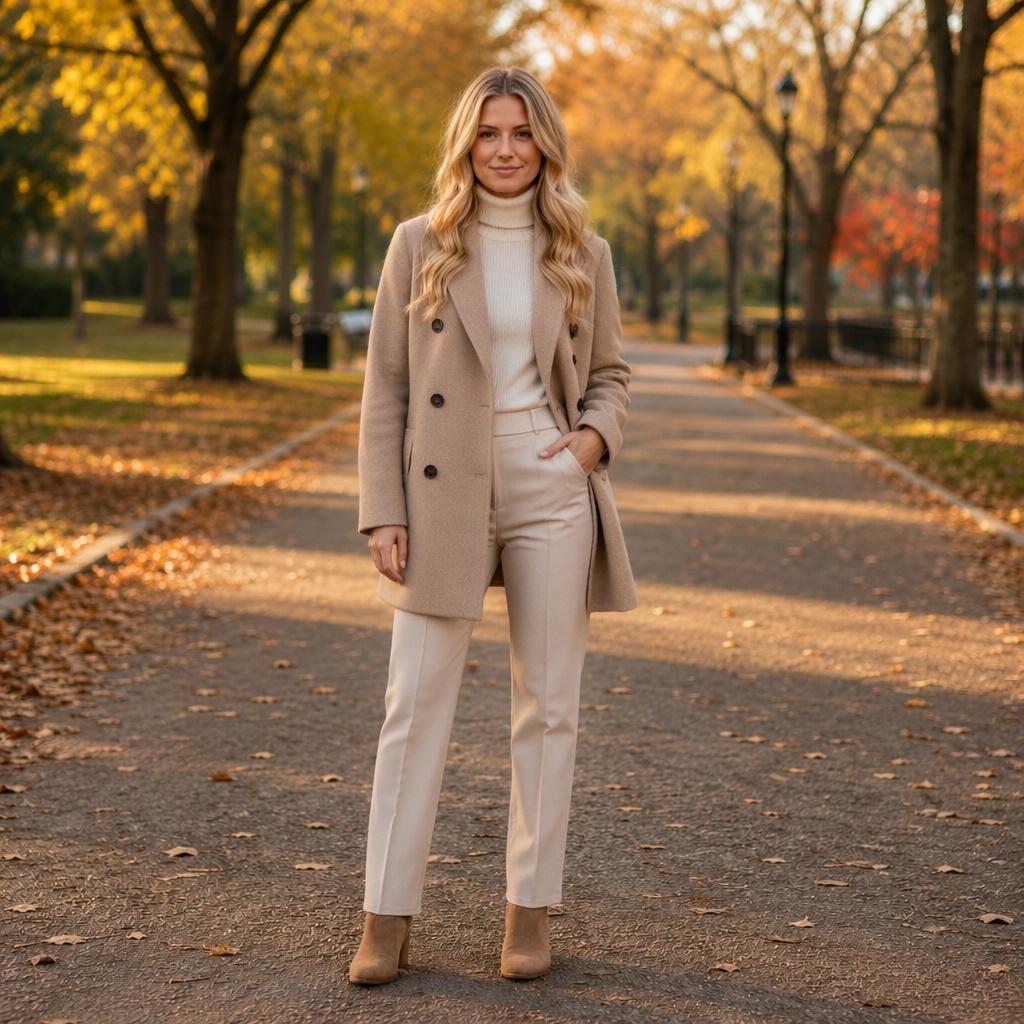
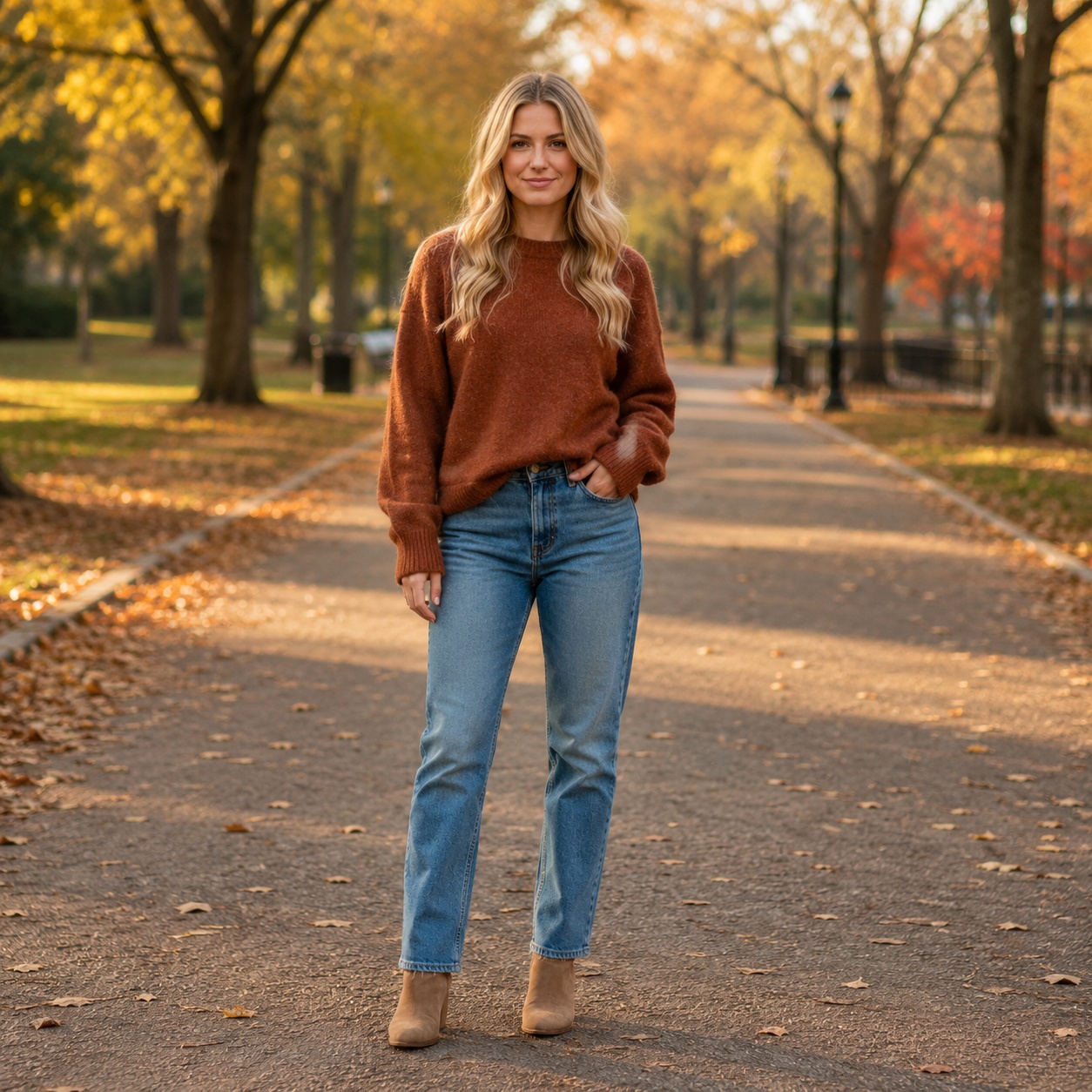
The better the reference garment is visible, the less the model has to guess. A clean product or model photo with the item unobstructed is more useful than a tiny screenshot where half the garment is hidden.
Why this clothing edit is useful
For put clothes from one photo onto another with AI, the value of AI is the ability to compare one styling decision on the same photograph instead of trying to imagine the result from a product photo or text description. Keeping the person and scene stable makes the clothing change easier to judge.
A put clothes from one photo onto another with AI preview is still a generated visualization rather than a physical fitting room. Real size, tailoring, fabric stretch, construction and comfort cannot be measured from the synthetic image, so use the result to explore appearance and direction rather than to claim exact fit.
Choose a base photo that shows the relevant body area
If you are transferring a jacket, the torso, shoulders, and arms need to be visible. For trousers or a full dress, a wider frame provides the leg position and body context required to adapt the garment.
Avoid sources where the target area is almost completely hidden by crossed arms, furniture, heavy outerwear, or another person.
Use a reference where the garment itself is readable
The AI needs to understand shape, color, material, sleeves, neckline, closures, and major patterns. A clean front or three-quarter view is usually more informative than a garment folded on a chair or covered by a bag.
If the reference includes a model, make sure the garment remains the dominant readable element rather than being lost in a complex scene.
Expect adaptation, not pixel-perfect copying
A garment photographed on one body and pose cannot be pasted unchanged onto another. The model has to reinterpret folds, sleeve angle, length, and perspective so the item can fit the base image.
Therefore the goal is to preserve the garment’s visual identity and key features, not to reproduce every stitch at identical pixel positions.
Patterns, logos, and text need extra scrutiny
Simple stripes or broad color blocks are easier to preserve than small typography, intricate logos, dense plaid, or highly detailed graphics. Those elements can become distorted during generative adaptation.
If an exact branded graphic is essential, do not assume the generated result is an accurate representation of the real product.
Judge fit separately from garment similarity
A result can resemble the reference garment but fit the base person badly, or fit the body well while drifting away from the reference. Review both dimensions.
Strong try-on results preserve recognizable garment cues and also respect shoulder position, body proportions, hands, hair, and the original scene.
Reference-image quality controls garment fidelity
A large, clean reference lets the model see the garment’s major construction. Screenshots with heavy compression, tiny product thumbnails, overlapping text, or several garments in one frame introduce ambiguity about what should be transferred — apply this specifically when evaluating put clothes from one photo onto another with AI.
Crop the reference around the relevant item when possible and avoid unnecessary visual clutter. This gives the transfer process a clearer target — apply this specifically when evaluating put clothes from one photo onto another with AI.
Different body poses require legitimate garment adaptation
Sleeves, hems, and folds cannot remain identical when the base person has a different posture from the reference model. A convincing transfer changes those geometric details while preserving the design language of the garment — apply this specifically when evaluating put clothes from one photo onto another with AI.
Do not judge success by pixel identity. Judge whether the reference is still recognizable after being plausibly worn in the new pose — apply this specifically when evaluating put clothes from one photo onto another with AI.
A controlled workflow you can repeat
Prepare the source
Choose the person photo and make sure the target body area is visible.
Set one clothing goal
Add a reference image where the garment is large and clear.
Generate and compare
Generate and compare both garment similarity and physical fit.
Refine the strongest result
Regenerate with a cleaner reference if important garment details are repeatedly lost.
For this “How to Put Clothes From One Photo Onto Another Photo With AI” workflow, open the matching SmartGeniusAI Clothing tool and keep the original image available beside the generated result. That side-by-side reference makes it easier to notice whether clothing changed cleanly without unnecessary identity, pose, or scene drift.
Quality-control checklist
| # | Check | How to review it |
|---|---|---|
| 1 | Base person remains recognizable | Review this point specifically in the context of put clothes from one photo onto another with AI before approving the draft image. |
| 2 | Reference garment color and major shape survive | Review this point specifically in the context of put clothes from one photo onto another with AI before approving the draft image. |
| 3 | Sleeves and shoulders adapt to the new pose | Review this point specifically in the context of put clothes from one photo onto another with AI before approving the draft image. |
| 4 | Hands and hair remain correctly layered | Review this point specifically in the context of put clothes from one photo onto another with AI before approving the draft image. |
| 5 | Patterns are not obviously broken | Review this point specifically in the context of put clothes from one photo onto another with AI before approving the draft image. |
| 6 | Background and body proportions stay stable | Review this point specifically in the context of put clothes from one photo onto another with AI before approving the draft image. |
A practical comparison exercise
Create three versions specifically for put clothes from one photo onto another with AI: a conservative option that changes as little as possible, a balanced option that clearly expresses the intended style, and a stronger creative option. Keep the source photo, crop and pose identical across all three. This gives you a useful range instead of three nearly identical generations.
First compare the versions at normal viewing size and decide which one belongs most naturally in the original photograph. Then inspect base person remains recognizable and reference garment color and major shape survive. If the strongest creative option introduces structural errors, do not reward it simply because it looks more dramatic; the balanced candidate is often the better result for a realistic photo.
Finally, imagine where the image will be used. A social concept can tolerate more expressive styling than a professional profile, shopping visualization, or practical wardrobe comparison. For put clothes from one photo onto another with AI, context should decide how much novelty is useful and how much consistency with the source should be protected.
Review the edit at three viewing distances
At thumbnail size, judge overall silhouette and whether the clothing belongs in the scene. At normal viewing size, inspect fit, layers, and color balance. At close zoom, check hands, hair, seams, buttons, patterns, and background edges — apply this specifically when evaluating put clothes from one photo onto another with AI.
This order prevents you from spending time on tiny details in an image whose overall outfit direction is already wrong — apply this specifically when evaluating put clothes from one photo onto another with AI.
Know when to regenerate instead of repairing
Regenerate when the failure is structural: missing fingers, impossible garment geometry, severe background warping, or identity drift. Those problems are usually more expensive to repair manually than to solve with a better generation — apply this specifically when evaluating put clothes from one photo onto another with AI.
Minor texture issues, a tiny seam inconsistency, or small color cleanup may be reasonable to retouch later if the core anatomy and clothing structure are already strong — apply this specifically when evaluating put clothes from one photo onto another with AI.
How to compare two good candidates
When two versions for put clothes from one photo onto another with AI both look technically clean, compare the purpose of the image instead of searching endlessly for microscopic differences. Ask which result supports the person, occasion and visual message with less explanation.
For How to Put Clothes From One Photo Onto Another Photo With AI, coherence should beat novelty. A slightly simpler garment that follows the photographed pose, lighting and environment is usually more convincing than an elaborate option with one distracting structural error.
Common mistakes to avoid
- Changing pose, background, body shape and clothing together while trying to evaluate put clothes from one photo onto another with AI.
- Using a tiny or heavily compressed source when the article goal is put clothes from one photo onto another with AI.
- Keeping a put clothes from one photo onto another with AI result with broken hands, collars or background geometry only because the overall style is attractive.
- Assuming a generated put clothes from one photo onto another with AI preview predicts real garment size, tailoring or physical comfort.
- Judging only the center of the outfit in a put clothes from one photo onto another with AI edit and forgetting hair overlap, accessories, hems and scene boundaries.
Try this Clothing workflow on your own photo
Use the matching SmartGeniusAI tool for put clothes from one photo onto another with AI, keep the source fixed, and compare one controlled clothing change at a time.
Use generated clothing previews responsibly
A generated image created for put clothes from one photo onto another with AI is useful for styling exploration, creative concepts, profile-photo experiments and visual planning, but it should not be presented as proof that a particular real product will fit in exactly the same way.
When sharing a realistic put clothes from one photo onto another with AI result, use images you have the right to edit and avoid misleading viewers about a person, product, endorsement, or before-and-after claim. Clear labeling is appropriate when the edited nature of the image would otherwise be easy to misunderstand.
Frequently asked questions
Can I use a store product photo as the clothing reference?
A clear product image can be useful, provided you have the right to use it and understand that the result is a generated visualization, not an exact fit simulation.
Does the reference need a person wearing the garment?
Not necessarily. A clean standalone garment can also provide useful visual information.
Will logos transfer exactly?
Do not rely on exact text or logo reproduction. Generative systems can distort small graphics.
Can I transfer a dress from another photo?
Yes if the base framing and reference make the full garment readable enough to adapt.
Is this the same as generating an outfit from text?
No. Reference try-on is anchored to a specific garment image; text generation creates a new garment or outfit from a description.
Final takeaway
How to Put Clothes From One Photo Onto Another Photo With AI works best as a controlled visual comparison: begin with a clear source, define one clothing goal, keep identity and scene stable, and reject any result where garment geometry, anatomy, material, lighting, or nearby background stop agreeing with one another.
For put clothes from one photo onto another with AI, the strongest final image should feel like the original photograph with a believable styling decision—not like a different person or scene reconstructed around the clothes.