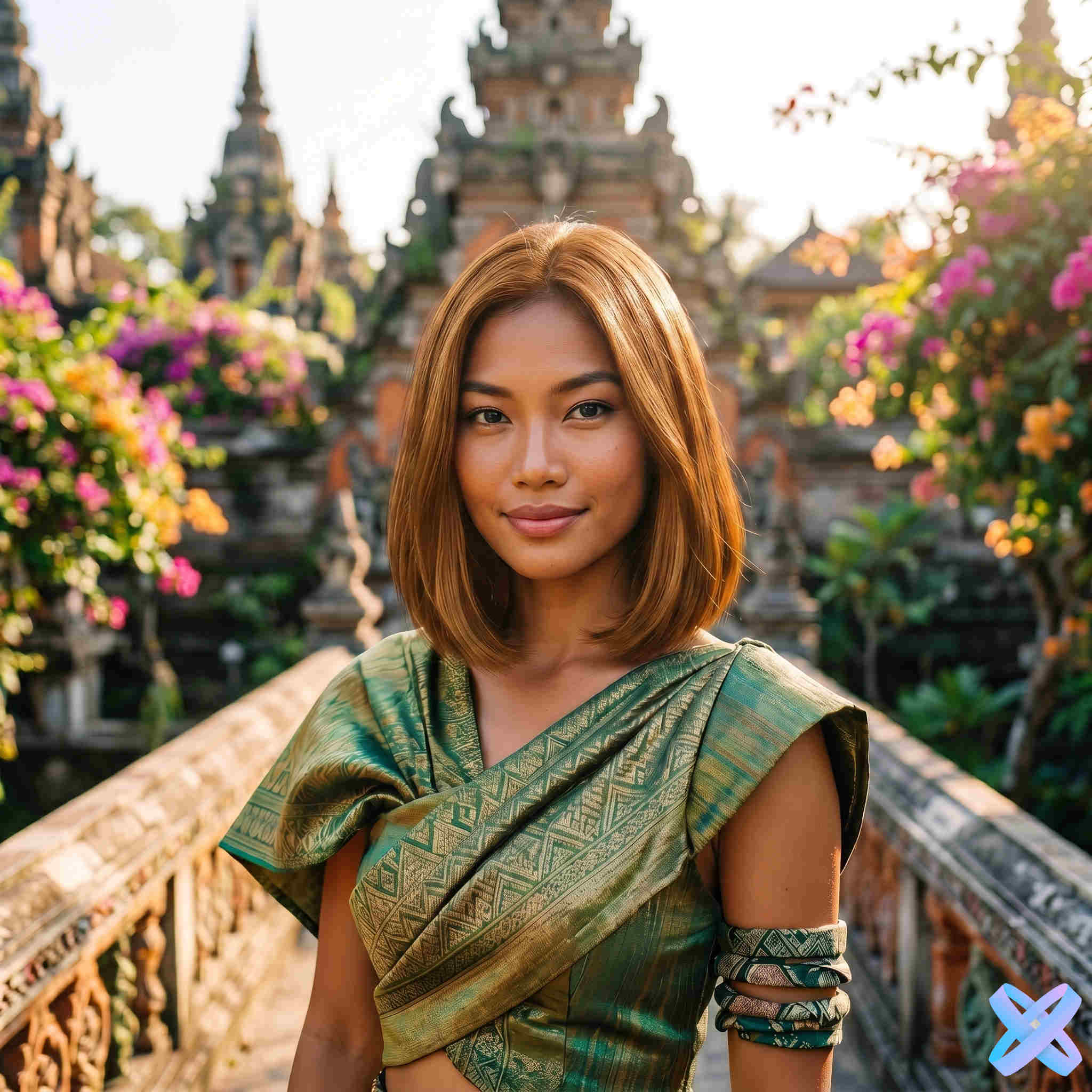
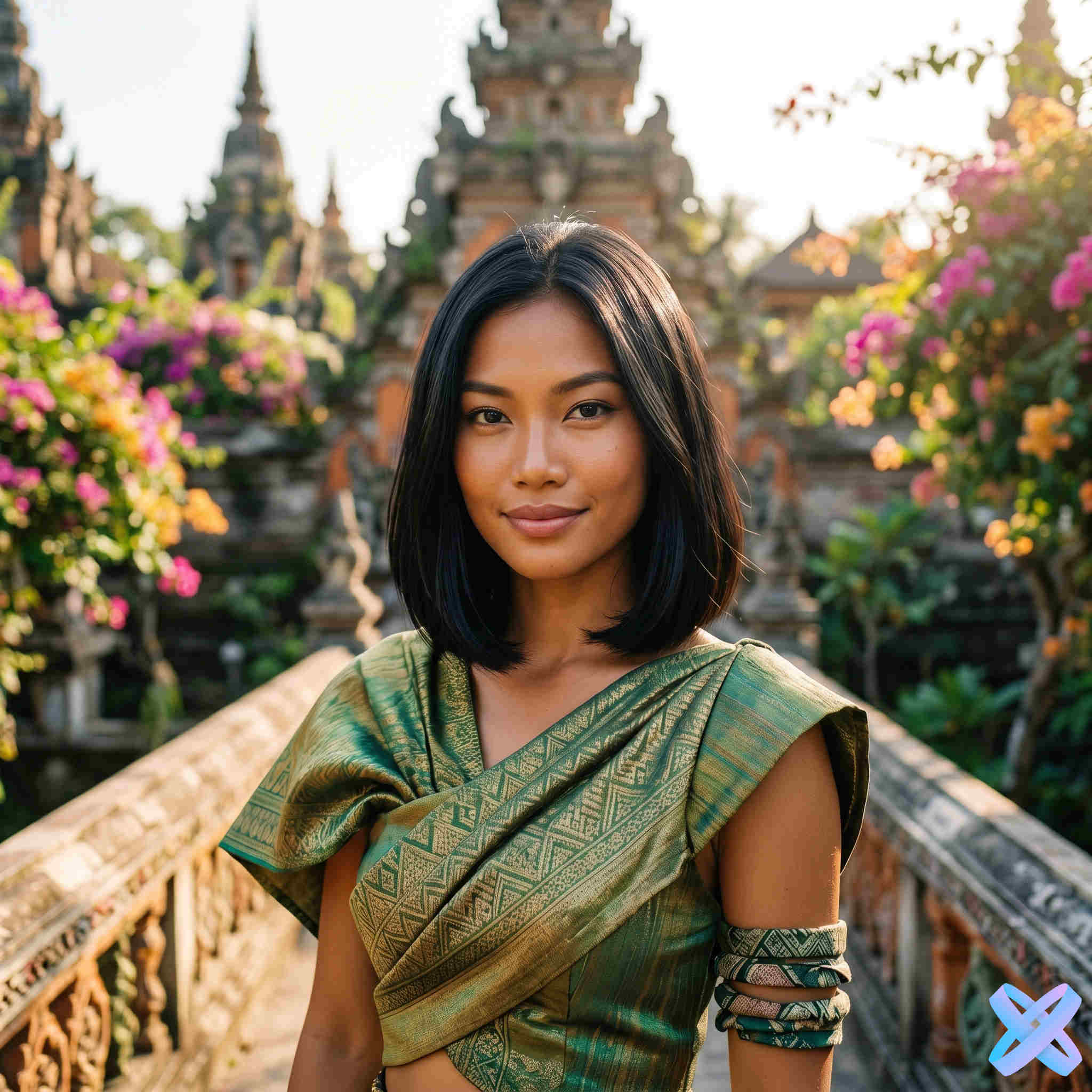
Dark → Blonde
Dark hair compared with a lighter blonde result

AI hair color try-on
Upload a portrait, choose a shade — from blonde and brown to pink or blue — and compare the new color on your own hair. Your haircut, length and styling stay the same.
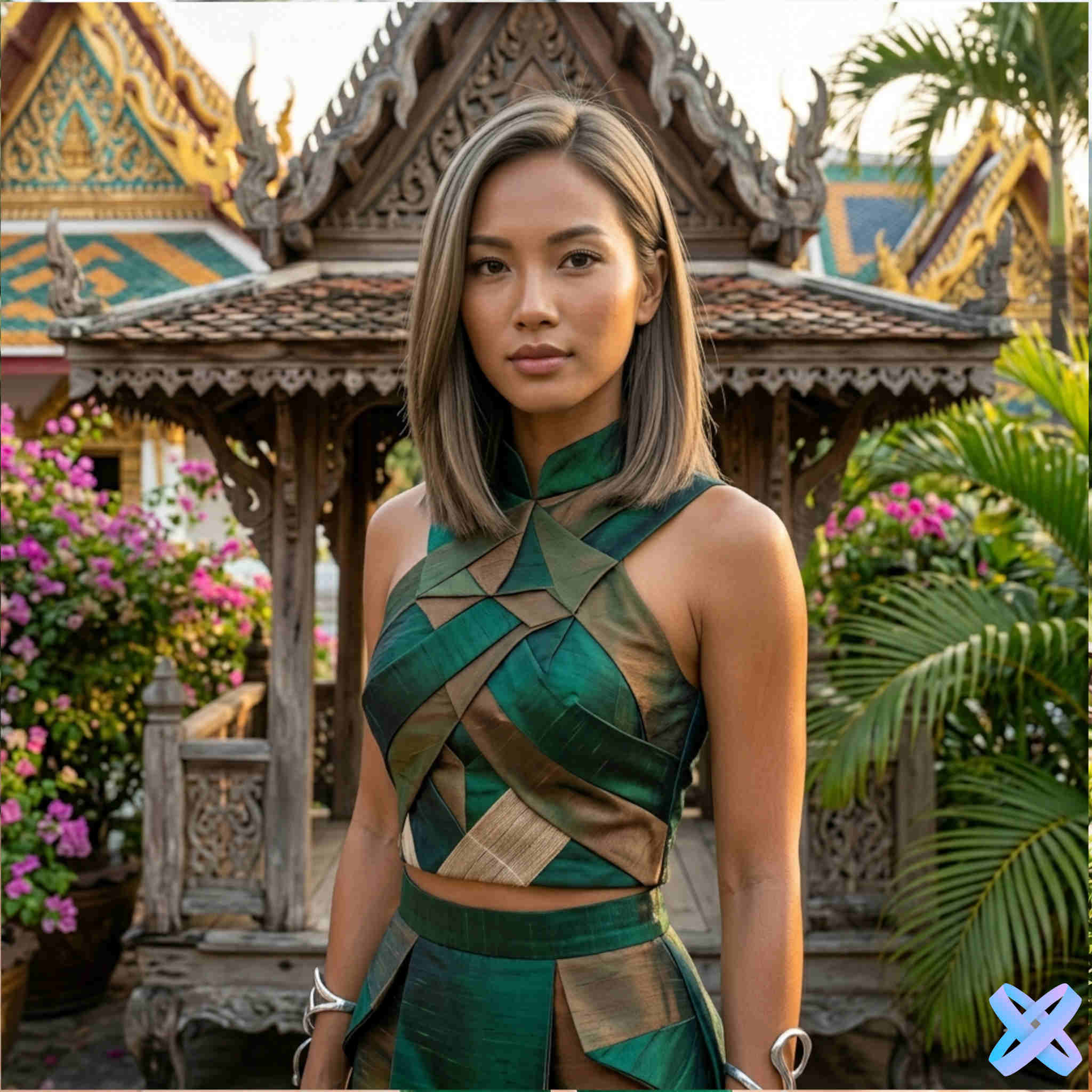
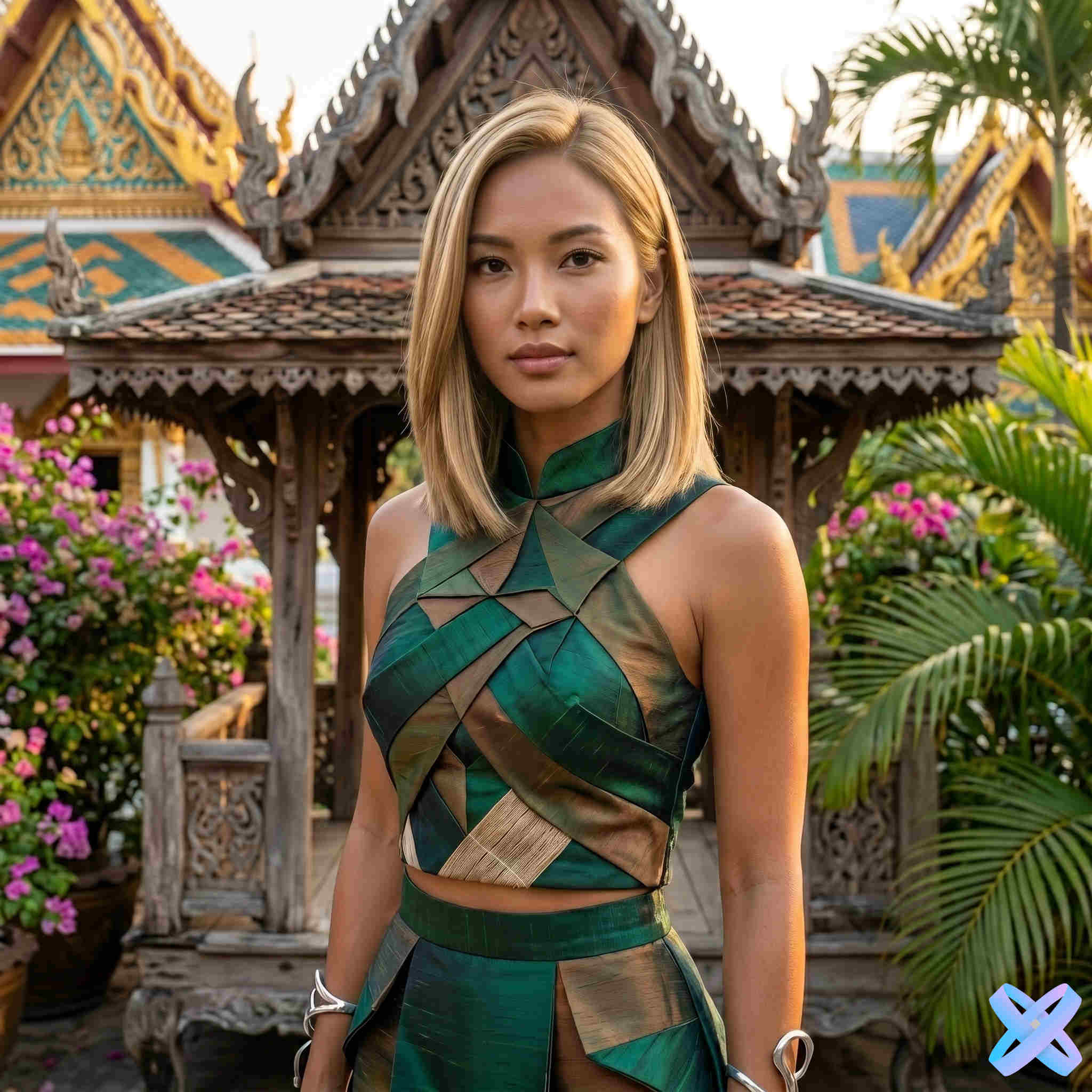
Color examples
Compare four real Before / After pairs. The goal here is to change the hair shade, not the haircut, length or texture.
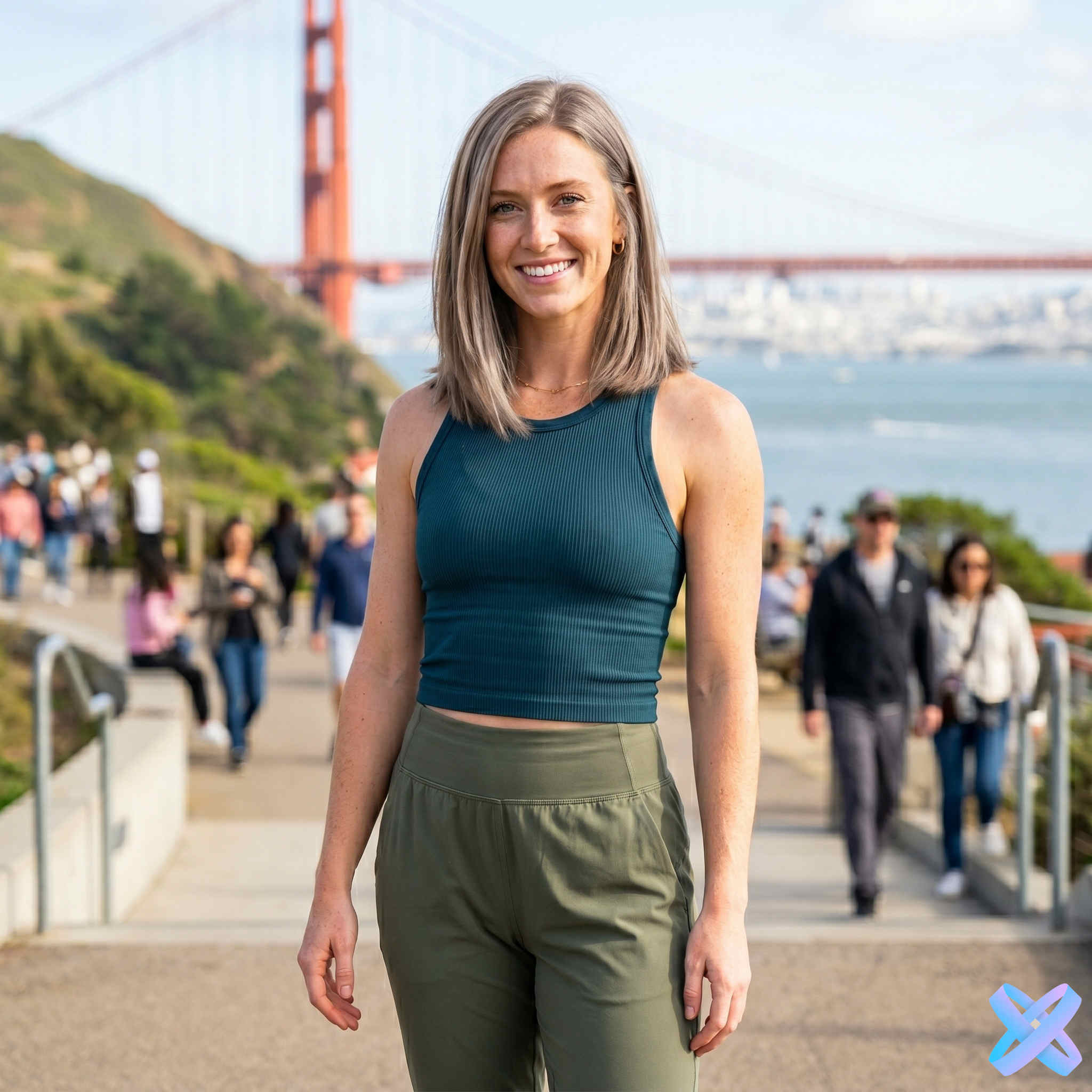
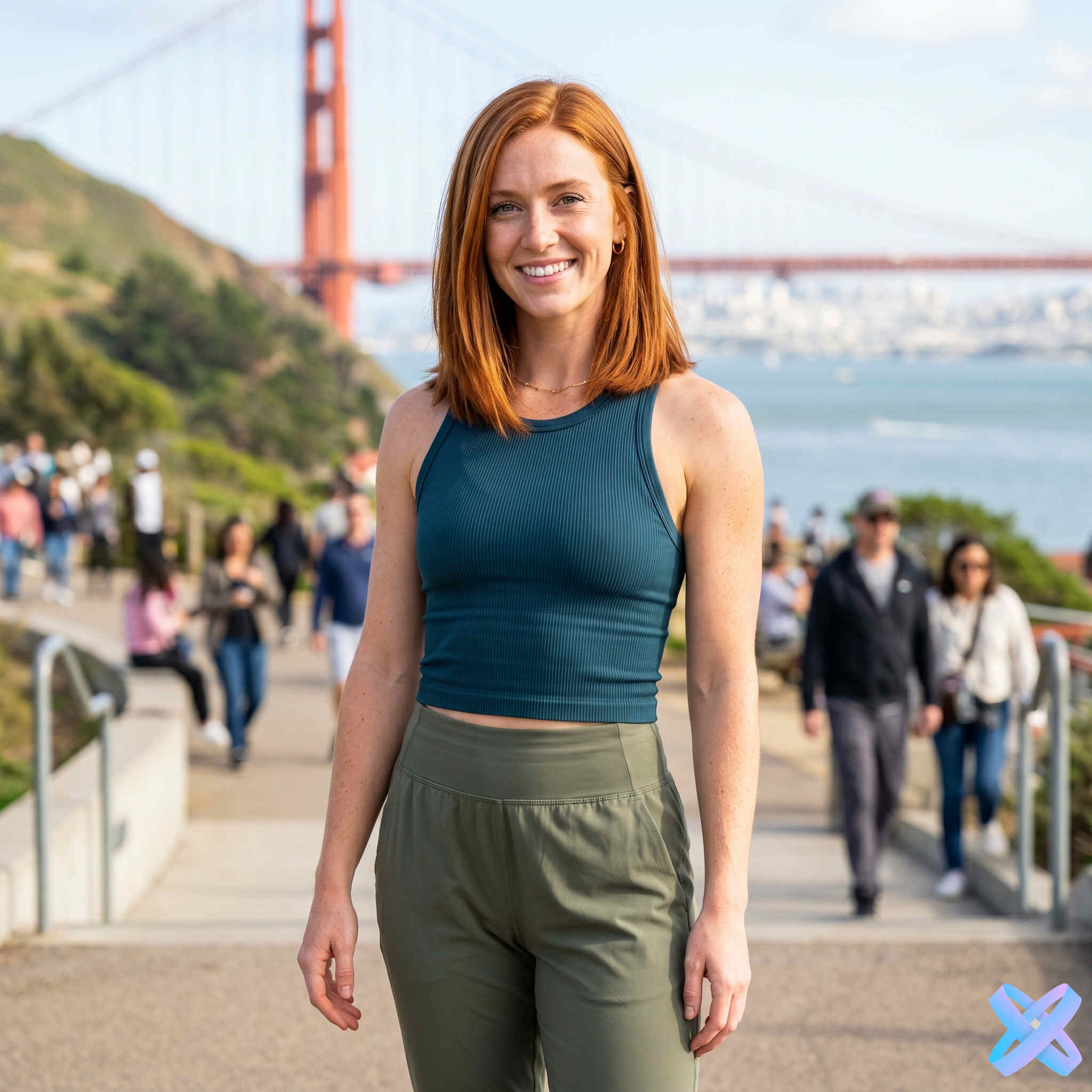
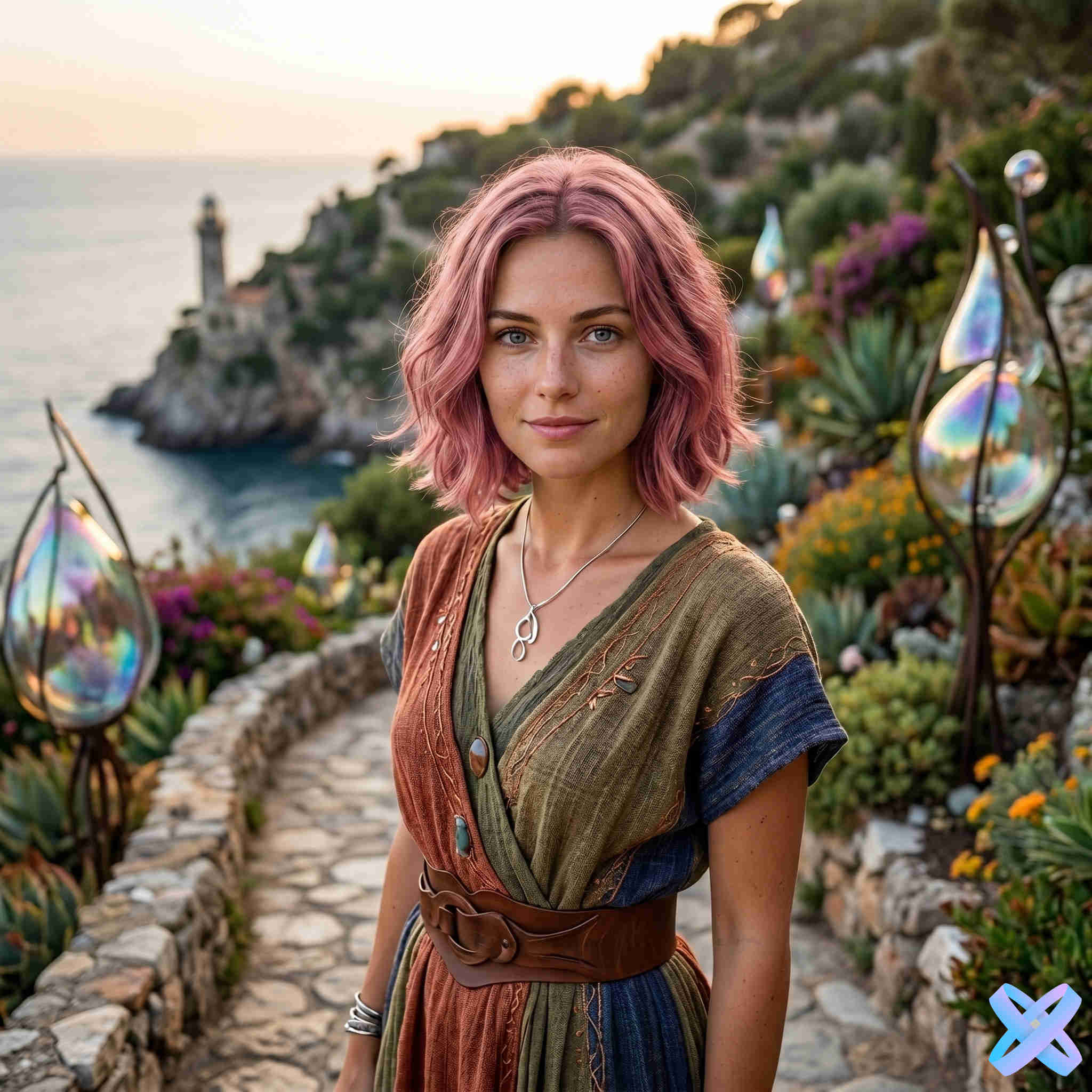
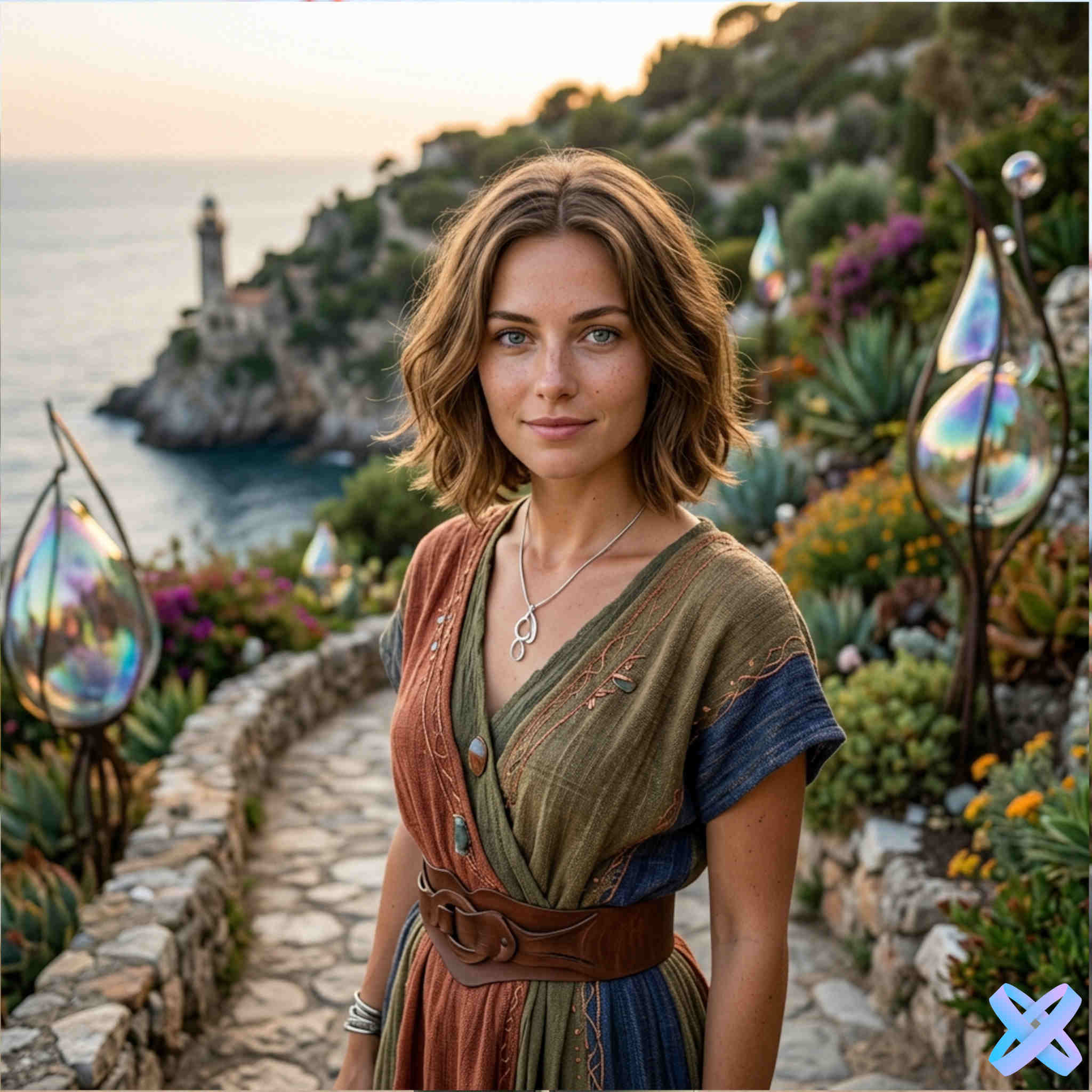
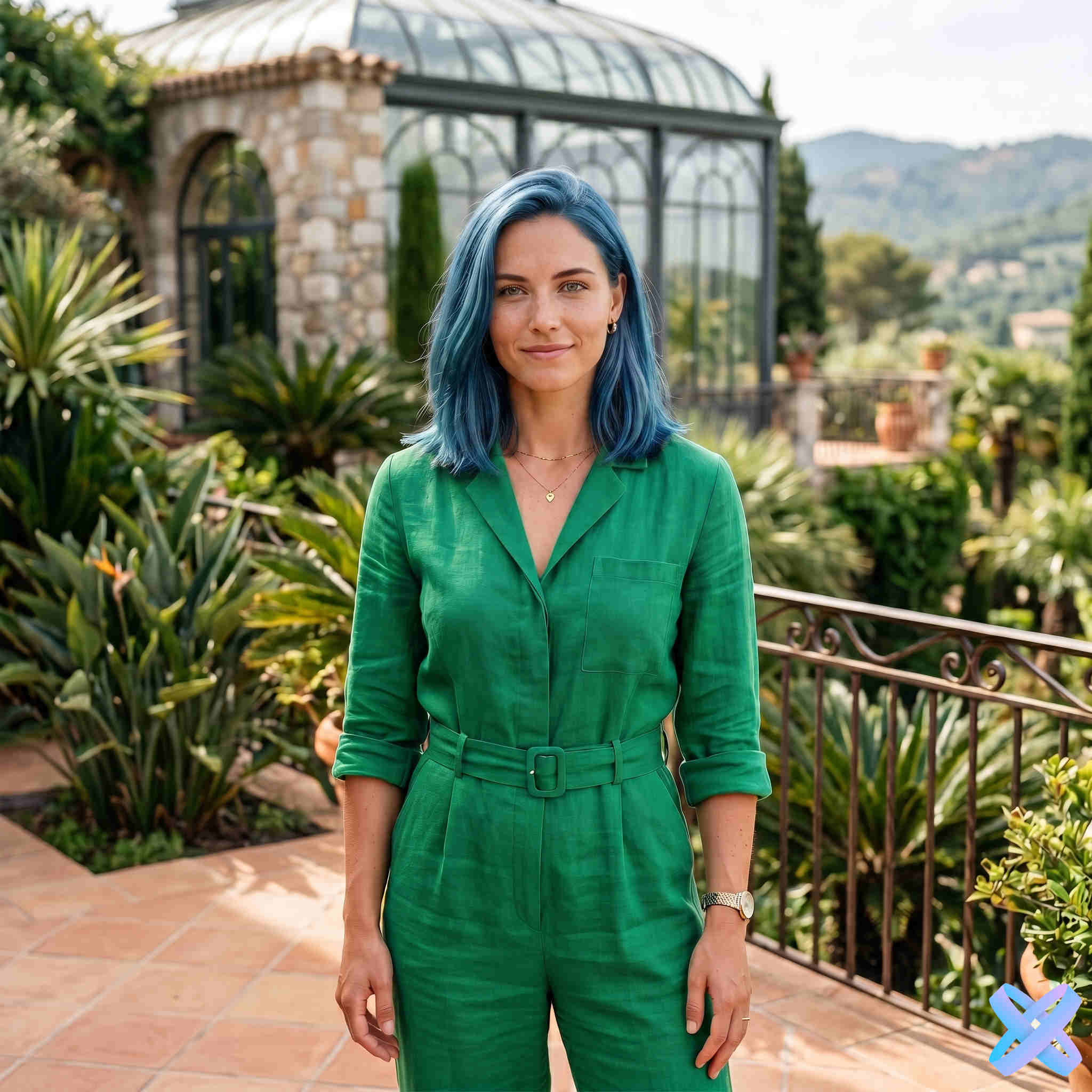
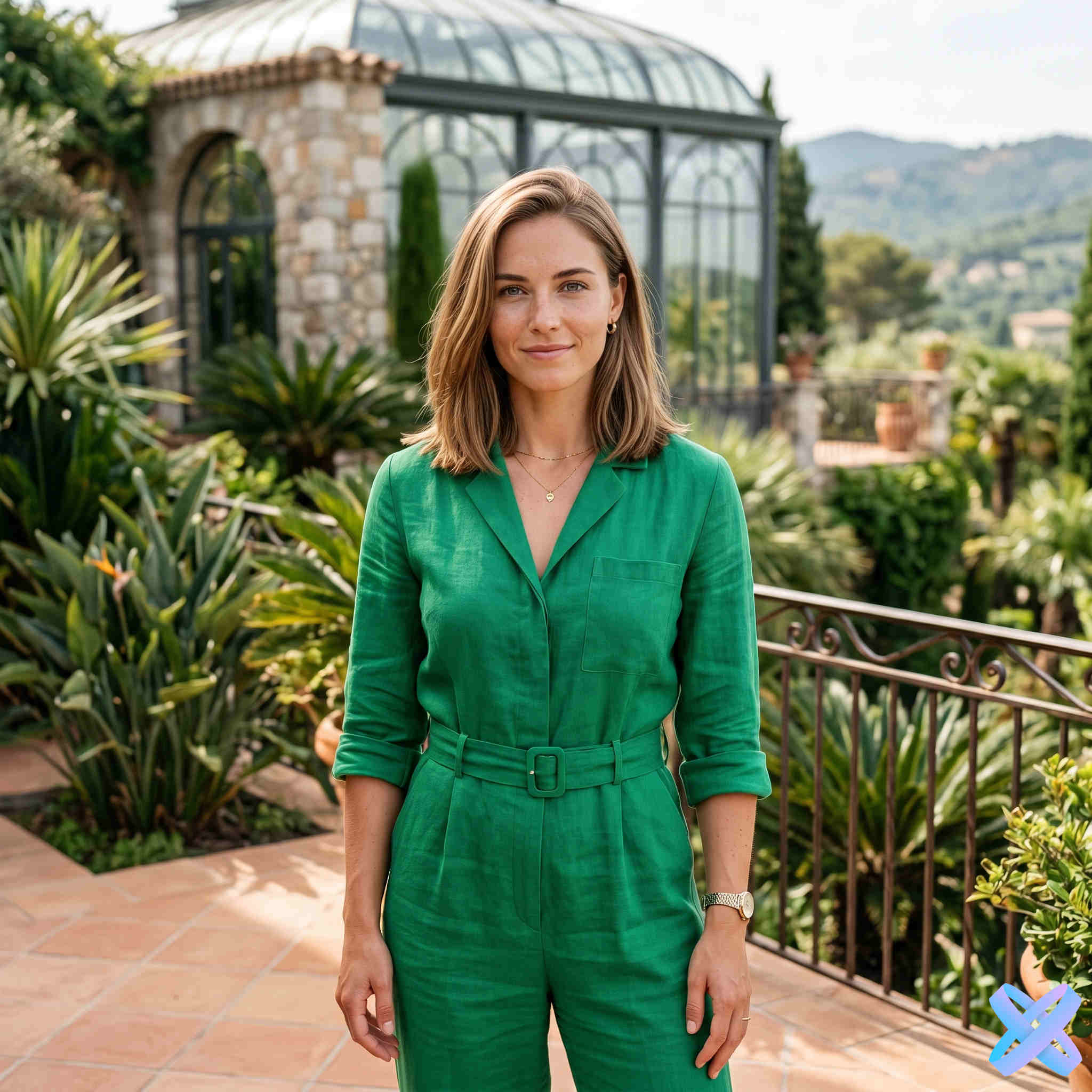
Color only
This page is designed specifically for hair color changes. AI keeps the original haircut, length, volume, texture, part and overall silhouette while recoloring the visible hair with natural highlights and shadows. It is useful when you already like the hairstyle and want to compare color alone.
Color temperature
Two colors at a similar brightness can feel very different because of their temperature. Compare one color direction at a time for a clearer decision.
Golden blonde, copper and ginger shades introduce more golden and reddish tones.
Brown, natural brunette and black are useful for a calmer comparison without a strongly warm or cool cast.
Platinum, ash and silver reduce visible warmth and create a cooler overall impression.
Why results vary
The same digital shade can look different on very dark and very light hair because natural highlights and shadows are preserved.
Warm indoor light, cool daylight and strong shadows change the way hair color is perceived. Use the same source photo when comparing shades.
You can choose a specific RGB value, but the rendered result still adapts to lighting and texture. It is not a guarantee of an exact salon dye or monitor match.
How it works
A photo where the hair is clearly visible gives you a more useful comparison.
Use the ready palette or open Custom color and select your own RGB value.
AI changes the hair color while keeping the original hairstyle structure.
Use Before / After and the same source image to evaluate several color directions consistently.
More hair options
For a different length, texture or haircut, open the matching Hair section.
Questions and answers
Yes. It is designed to keep the original haircut, length, volume, texture, part and silhouette while changing only the visible hair color.
Yes. In addition to the ready shades, Custom color lets you select a specific RGB value. The rendered photo still adapts that color to the hair texture, highlights and shadows.
Yes. Pink, blue and green are included, and Custom color can be used for another single-color RGB shade.
Treat the result as a visual reference, not a chemical dye prediction. Real-world color depends on the starting hair base, dye, technique and lighting.
Guest AI edits are unavailable. A new account created after the offer started gets one successful free edit with any editor tool, including Premium. Further edits require tokens. This is one account-wide attempt, not one per page.
Try it on your photo
Upload a portrait, select a ready shade or your own RGB color, and see the result without changing the hairstyle.
Guest AI edits are unavailable. A new account created after the offer started gets one successful free edit with any editor tool, including Premium. Further edits require tokens. This is one account-wide attempt, not one per page.
Further AI edits use tokens at the tool rate. Technical failures should not consume a free attempt. Switching project modes does not reset used attempts. Purchased tokens and permanent Premium remain intact; Premium unlocks after a purchase.