Silhouette
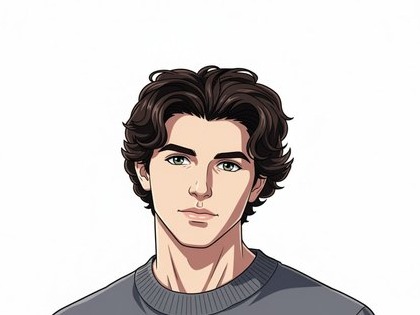
The face, hair, and clothing read as simpler, clearer shapes.

AI PHOTO STYLE · SMARTGENIUS
Upload a photo and turn it into a vibrant cartoon style in seconds. SmartGeniusAI helps you create a cartoon from a photo, cartoon avatar, or creative illustration without Photoshop or complex editing.


STYLE FOCUS
Cartoon simplifies shapes, cleans up contours, and translates photographic texture into a 2D illustration language. The goal is to keep the person and scene recognizable while making the image lighter and more graphic.
The face, hair, and clothing read as simpler, clearer shapes.
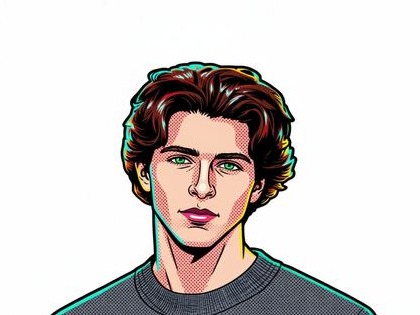
Linework is stronger than a photo but softer and friendlier than Comic.
Large color areas become cleaner and slightly more vivid.
DO NOT CONFUSE WITH A NEARBY STYLE
Flat illustration, clean lines, simplified forms, and a light animated feel.
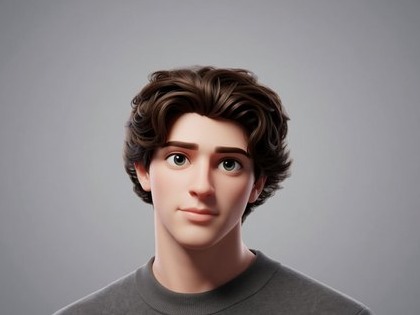
Volume, materials, studio-like lighting, and a rendered character feel.
PRACTICAL USES
A quick cartoon portrait without a complex scene.
Clear animal silhouettes translate well into 2D.
Useful for playful cards and informal illustrations.
Friendly avatars, posts, and cover visuals.
FAQ
No. This page targets a flatter illustrated result. Use the dedicated 3D Cartoon page for dimensional character rendering.
The prompt keeps the composition and major objects, although tiny background details may simplify.
Yes. Photos with a clear silhouette, visible eyes, and decent lighting work best.
The source lighting and color influence the output. Start with a neutral image if you want a calmer cartoon look.
Return to the Hero above, upload an image, and generate with the main style or one of the three alternatives.
Guest AI edits are unavailable. A new account created after the offer started gets one successful free edit with any editor tool, including Premium. Further edits require tokens. This is one account-wide attempt, not one per page.
Further AI edits use tokens at the tool rate. Technical failures should not consume a free attempt. Switching project modes does not reset used attempts. Purchased tokens and permanent Premium remain intact; Premium unlocks after a purchase.