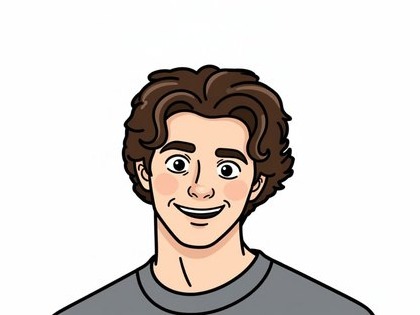
Linework
Clean contours separate the face, hair, and clothing without looking like a traced photo.

AI PHOTO STYLE · SMARTGENIUS
Upload a photo and get an anime version of your image in seconds. SmartGeniusAI helps turn a selfie, portrait, or regular photo into anime style without Photoshop or complex editing.


STYLE FOCUS
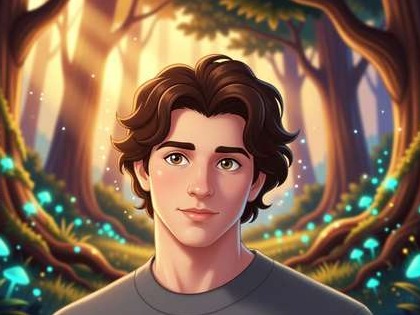
Anime here is not a saturation filter. The model rebuilds outlines, shading, and facial detail into a modern illustrated language while keeping the original pose, hairstyle, and key identity cues.
Clean contours separate the face, hair, and clothing without looking like a traced photo.
Controlled cel shading gives volume without turning the portrait into a flat mask.
Eyes become more expressive while the face shape and recognizable features should remain anchored to the source.
PRACTICAL USES
Close or medium framing with a clearly visible face.
Best when both faces are well lit and not heavily occluded.
Costumes and accessories gain a stronger illustrated character.
Useful for profile images, themed covers, and attention-grabbing posts.
FAQ
The style makes features more illustrative, but the prompt keeps face shape, hairstyle, and major identity cues. Check the eyes, mouth, and jawline after generation.
Yes when faces are large enough and do not overlap heavily. Tiny background faces are less reliable.
Anime leans on characteristic linework, cel shading, and anime-inspired facial treatment. Cartoon is a broader simplified illustration style.
Use a photo without heavy motion blur, deep shadows over the eyes, or an extremely small face.
Return to the Hero above, upload an image, and generate with the main style or one of the three alternatives.
Guest AI edits are unavailable. A new account created after the offer started gets one successful free edit with any editor tool, including Premium. Further edits require tokens. This is one account-wide attempt, not one per page.
Further AI edits use tokens at the tool rate. Technical failures should not consume a free attempt. Switching project modes does not reset used attempts. Purchased tokens and permanent Premium remain intact; Premium unlocks after a purchase.