
AI CLEAN-SHAVE PREVIEW · SMARTGENIUSAI
How Would I Look Without a Beard? Preview a Clean-Shaven Face With AI
If you have worn a beard for months or years, shaving it off can feel like a bigger identity change than growing it in the first place. An AI clean-shave preview gives you a way to inspect the idea before reaching for a razor. The useful question is not whether AI can reveal the exact hidden skin under every hair—it cannot—but whether a reconstructed preview helps you judge the overall clean-shaven direction.

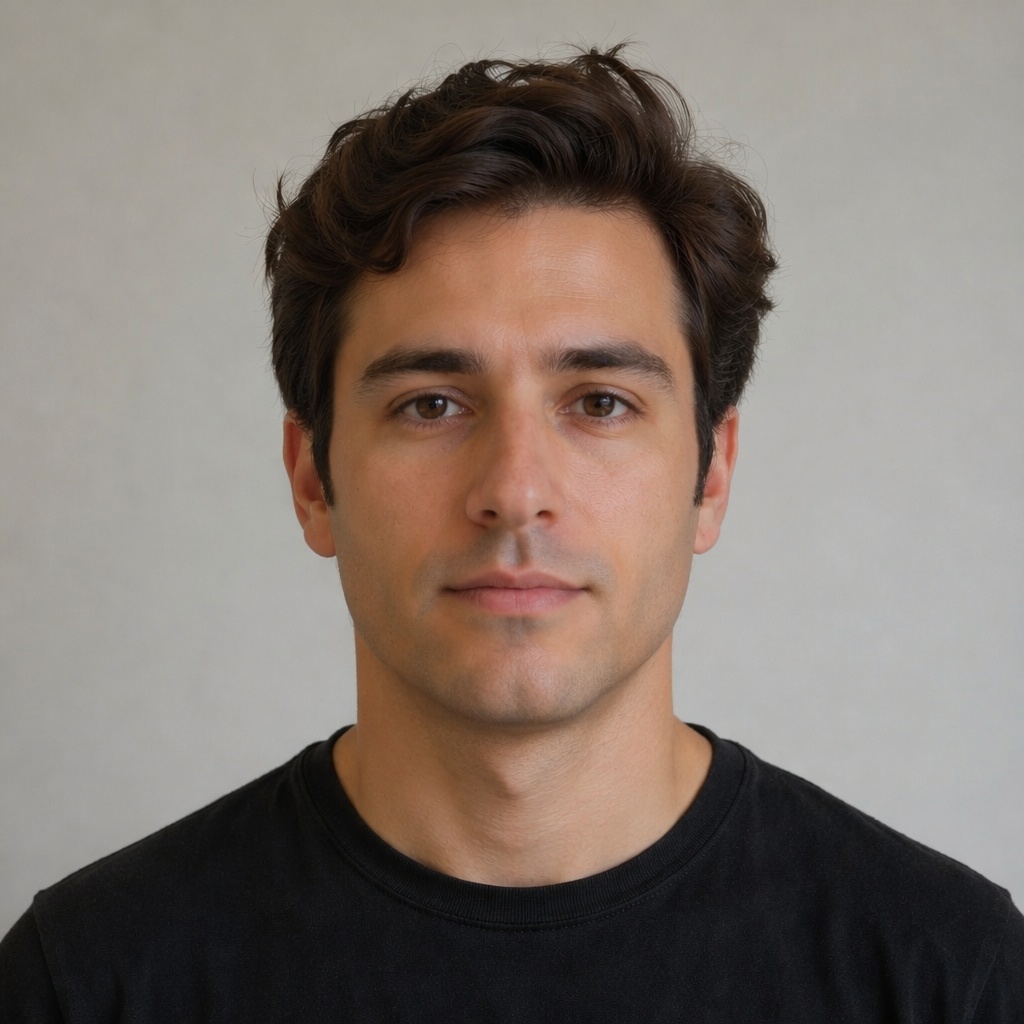
AI beard removal is best for judging the overall effect of an open jaw, visible chin, uncovered cheeks and a cleaner mouth area. Treat the reconstructed jaw and skin as a realistic visual estimate—not an anatomical scan of what is literally hidden beneath the beard.
Why removing a beard is a reconstruction problem
A dense beard hides skin, lip edges, parts of the chin and sometimes the true jaw contour. When AI “removes” facial hair, it has to generate plausible content in those hidden areas. It uses the visible structure of the face, neighboring skin, lighting and learned facial patterns to create a believable result.
That means the preview can be visually useful while still being an estimate. The exact shape of a chin that has been covered for years cannot be recovered perfectly from one photograph. Use the result to judge style direction, not to measure anatomy.
What changes when the beard disappears
Removing a beard can make the lower face appear smaller, reveal more of the mouth, expose natural jaw asymmetry and change how prominent the nose or cheekbones feel. A large beard may have been adding both length and width; once it is gone, the face can feel unexpectedly open.
The first few seconds of a clean-shaven preview may feel strange simply because the image is unfamiliar. Give yourself time to compare structure rather than reacting only to novelty.
| Area | With beard | Clean-shaven preview |
|---|---|---|
| Cheeks | Partly covered by hair | Skin area becomes visually larger |
| Jaw | Can be replaced by beard outline | Natural/reconstructed jaw becomes visible |
| Chin | May be lengthened or widened by beard | Returns to a smaller uncovered shape |
| Mouth | Mustache and beard add contrast | Lip contours become more prominent |
| Neck | Beard may create a lower boundary | Jaw/neck transition becomes clearer |
Use a photo where the AI has enough information
A front-facing or mild three-quarter portrait with even lighting is usually the most useful. Avoid images where the beard disappears into a dark shirt or shadow, because the lower boundary becomes ambiguous. Hands, scarves, microphones and high collars can also cover the reconstruction area.
For a thick beard, a higher-resolution image helps the model separate hair from surrounding skin and clothing. The photo does not need to be professionally shot, but the face should be sharp.
Inspect skin continuity, not just the absence of hair
A convincing result should not look like the beard was blurred away. Skin texture, color and lighting should continue naturally from the visible cheeks and neck. Look for strange smooth patches, mismatched color, repeated texture or abrupt transitions.
If the skin is wrong but the overall face shape is useful, you can still use the preview for style comparison. Just do not confuse texture realism with certainty about the hidden anatomy.
Check the lower lip and the shadow beneath it
The lower edge of the mouth is often partially covered by mustache or beard hair. After removal, the lip contour and the small shadow beneath it should look coherent with the rest of the face.
This area matters because subtle errors can make the whole clean-shaven face feel “not like you” even when the jaw reconstruction is reasonable. Zoom in before deciding whether you dislike the look itself or simply dislike an artifact.
The jawline is the part people over-interpret most
A beard can create a sharper or larger artificial jaw outline. Removing it reveals—or reconstructs—a smaller boundary. People sometimes assume the AI has “discovered” their exact jawline, but a single photo does not contain that hidden information.
Use the preview to answer broader questions: Do you like seeing more jaw? Does the face feel more youthful or cleaner? Does the beard add a structure you prefer? Those comparisons are valid even if the exact reconstructed contour is approximate.
Preview yourself without a beard
Remove facial hair from a portrait and compare the reconstructed clean-shaven look before you make a real-world change.
Clean shave vs light shadow is a useful two-step test
If a completely clean-shaven result feels too abrupt, compare it with a light beard shadow or very short stubble. The intermediate version preserves some lower-face contrast without the full volume of a beard.
This can reveal whether you dislike having no facial hair at all or simply prefer a little definition around the jaw and mouth. For many people, the best answer lies between full beard and totally clean.
Keep the mustache decision separate if possible
Some people want to remove the beard but keep a mustache. That creates a completely different composition because visual weight remains around the mouth while the cheeks and chin open up.
If you are considering that direction, compare clean shave, mustache-only and beard versions separately. The dedicated Mustache Try-On can help refine the mustache shape once you know you like the concept.
Why a clean-shaven preview can look younger or simply unfamiliar
Beards add texture, shadow and sometimes visual age because they create more contrast and complexity. Removing one can make the face look younger in some portraits. In others, it simply makes the facial features more exposed.
Do not treat “younger” as automatically better. The goal is to decide which version fits the identity and style you want. A mature full beard may be exactly the look you prefer.
Compare at normal viewing size, not only zoomed in
Zooming is useful for checking reconstruction quality, but most people will see your face at conversational distance or in a profile photo. After inspecting details, zoom back out and judge the overall impression.
A minor generated imperfection around the chin may not matter for deciding whether you prefer a beard. Conversely, a technically perfect skin patch does not help if you dislike the overall clean-shaven silhouette.
A fair beard-removal comparison workflow
Use one sharp bearded portrait
Make sure the lower face is visible and evenly lit.
Generate a clean-shaven result
Inspect skin, lips and jaw for obvious artifacts.
Generate a light-shadow option
Use it as the middle point between beard and no beard.
Compare all three at the same size
Decide which level of facial-hair weight suits your preferred image.
Why older photos can be useful reference material
If you have photographs from before you grew the beard, compare them with the AI reconstruction. The older photo gives you real information about your chin, jaw and skin, while the current portrait shows how age, weight, haircut and other features may have changed. Neither source alone is a perfect prediction of how you would look today clean shaven.
Use the two together. If the AI jaw shape resembles the older real photo, confidence in the broad reconstruction increases. If they differ, remember that face shape may also have changed over time. The goal is not forensic accuracy; it is to build a reasonable visual expectation.
Plan the actual shave if the beard is long
If you decide to remove a long beard, the real transition is easier if you trim in stages rather than immediately shaving close to the skin. This lets you see heavy stubble and short-beard stages on the way down, which may reveal a version you prefer even more than fully clean shaven.
It can also reduce the psychological shock of a dramatic change. Take a quick photo at each stage. You may end up keeping a shorter beard, or you may confirm that the clean-shaven preview was the right target.
Skin tone differences after shaving are normal
Skin that has been covered by a beard may look temporarily different from surrounding exposed areas because it has received less sun and different friction. The first real clean-shaven result can therefore differ from an AI preview even if the underlying face shape is accurate.
Do not judge the final look only in the first hour after shaving. Give skin time to settle and irritation to fade. AI typically shows an idealized calm skin surface, while real shaving can create short-term redness or texture that changes the first impression.
Frequently asked questions
Can AI show exactly what is under my beard?
No. Hidden skin and jaw areas must be reconstructed from visible facial information. The result is a realistic estimate for style preview, not an anatomical reveal.
What photo is best for AI beard removal?
Use a sharp front or mild three-quarter portrait with even light and an unobstructed lower face. Avoid deep shadows and objects covering the beard.
Can I remove the beard but keep the mustache?
Yes, if the tool offers that mode. It is useful to compare mustache-only against fully clean-shaven and full-beard looks.
Why does my face look so different without a beard?
A beard changes the visible outline, contrast and face coverage. Removing it exposes more skin and can reduce apparent chin length or jaw width.
Should I shave based only on an AI result?
Use the preview as one visual reference. Real skin, beard growth and anatomy may differ, so treat it as a decision aid rather than a guarantee.
Final takeaway
A clean-shaven AI preview is most valuable as a comparison tool. It can show how your face may feel with less lower-face volume and more visible skin, but the hidden areas are reconstructed. Compare beard, light shadow and clean shave at the same scale, then decide based on the overall direction rather than pixel-level certainty.